
Contact Center Configuration Monitoring for Genesys Cloud
Contact center monitoring software is usually described in terms of calls: recording conversations, listening live, scoring agent performance, and tracking dashboards. Those controls matter, but they do not show every risk inside a modern contact center. In Genesys Cloud, many customer-impacting incidents start with configuration: a routing change, an Architect flow update, a permission change, a schedule edit, or an integration setting that drifted from the approved state.
That is where contact center configuration monitoring fits. It tracks the operational settings that control how the contact center behaves, shows what changed before a release or incident, and gives teams the evidence they need to validate, audit, and roll back risky changes. For InProd, this is the natural bridge between Genesys Cloud change control, configuration auditing, and Genesys Cloud rollback.
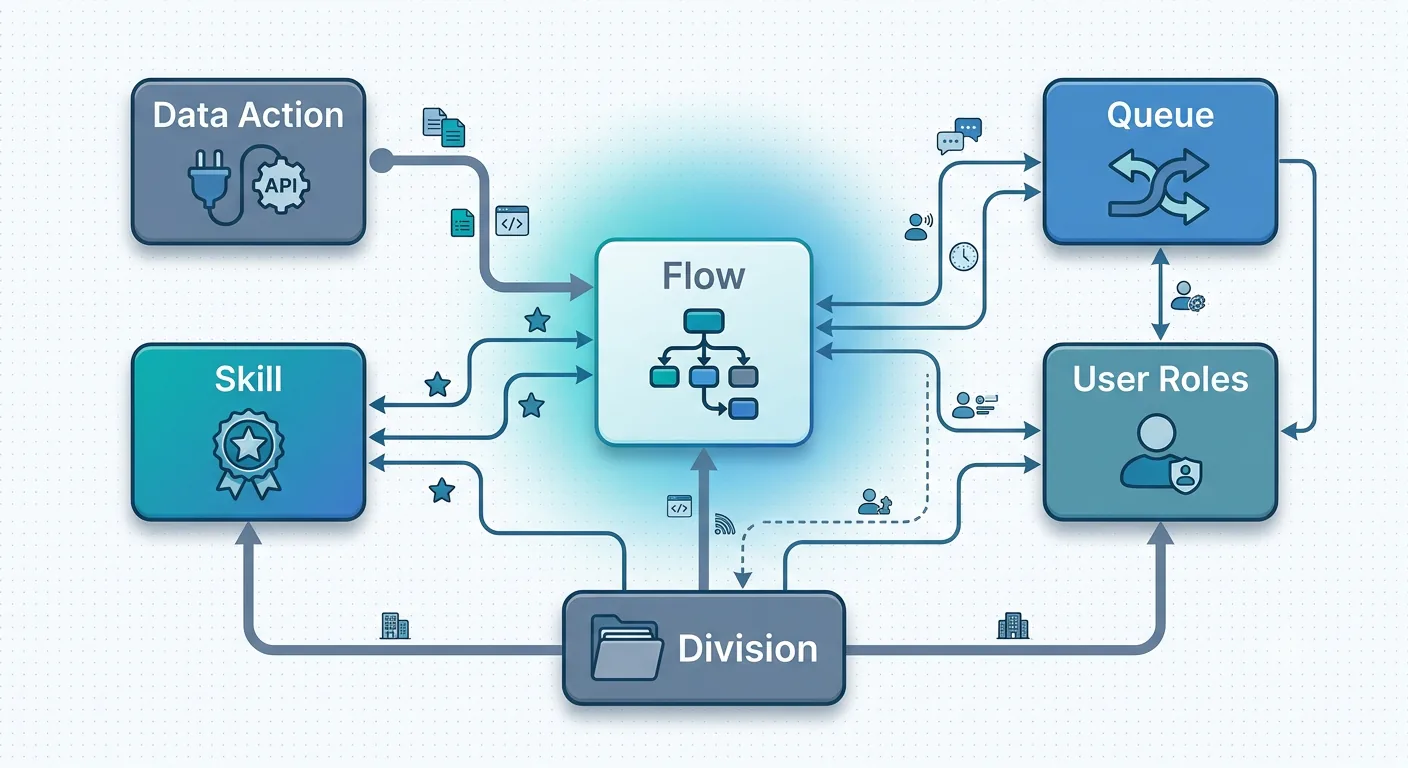
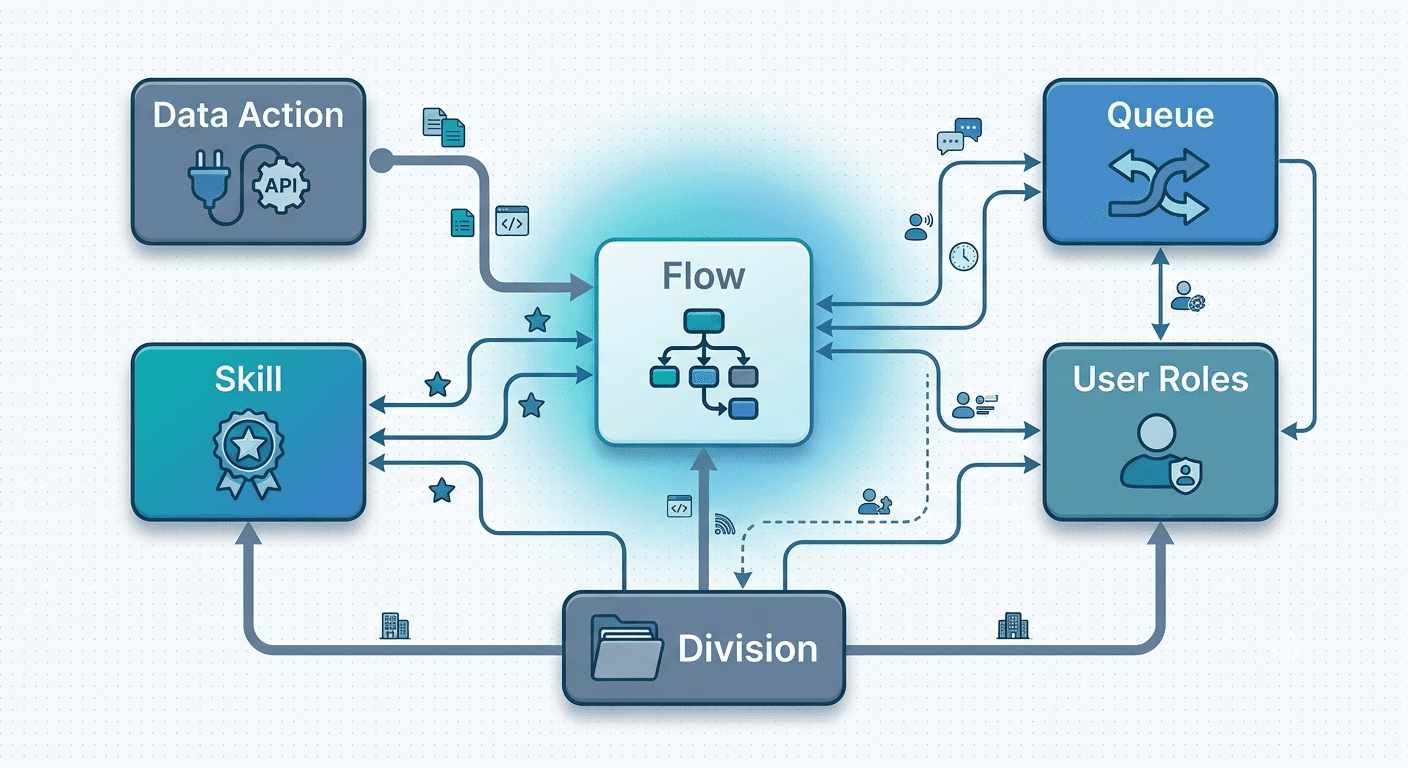
Configuration monitoring has to account for the dependencies between flows, queues, roles, skills, divisions, and data actions, not just the customer conversation that happens afterward.
What Is Contact Center Monitoring Software?
Most contact center monitoring software is built around the conversation layer. That typically includes live listening, call recording, AI-driven conversation analytics, quality assurance scoring, agent coaching tools, and performance dashboards, all aimed at answering one core question: are agents handling customer interactions well?
That is a real and necessary category. Live listening, whisper, barge, takeover, AI scoring, coaching, sentiment, and conversation analytics all help teams understand interaction quality. But those tools monitor interactions and agents, not the configuration that determines how those interactions get routed, handled, and processed in the first place.
Call monitoring shows what happened in a customer conversation. Configuration monitoring shows what changed in the system that routed and controlled that conversation to begin with.
The Missing Layer: Contact Center Configuration Monitoring
Contact center configuration monitoring tracks changes to the settings and objects that control how a contact center actually works, including routing logic, IVR flows, queues, skills, roles, permissions, integrations, schedules, and prompts. For Genesys Cloud teams, it helps detect drift, validate releases before they go live, preserve audit evidence, and support rollback when a bad change reaches production.
It's worth being precise about where this sits relative to the monitoring categories most teams already know:
- Agent and call monitoring answers: are agents handling conversations well?
- Experience monitoring answers: are customer journeys actually completing in production?
- Configuration monitoring answers: what changed in the contact center setup, did it create risk, and can we prove it or reverse it?
Most contact centers have real investment in the first category and growing investment in the second. The third is where the blind spot usually is. It is also the layer InProd is built for: controlled Genesys configuration as code, governed environment promotion, and audit-ready change history.
Call Monitoring vs. Configuration Monitoring
| Monitoring type | What it watches | Typical buyer question | Relevance to configuration risk |
|---|---|---|---|
| Call monitoring | Calls, recordings, agent behavior | Are agents following process? | Adjacent, not core |
| Quality monitoring | QA scores, sentiment, coaching | Are conversations good enough? | Adjacent, not core |
| CX monitoring | Journeys and production experiences | Are customers completing journeys? | Relevant, complementary |
| Configuration monitoring | Flows, queues, routing, permissions, integrations | What changed, who changed it, did it create risk? | Core |
These are not competing categories. A mature contact center operation typically needs more than one. The point is not that call monitoring or CX monitoring are insufficient tools; it is that neither one was built to answer questions about configuration change, and treating them as if they cover that ground leaves a real gap unmonitored.
Why Genesys Cloud Teams Need Configuration Monitoring
A handful of recurring patterns make this gap costly rather than theoretical:
- Routing changes can affect customers before anyone notices. A queue or routing update can misdirect calls or chats immediately, and the first sign is often a spike in complaints, not an alert.
- IVR and Architect flow changes can create blind spots for testing and monitoring. A flow edit that looks correct in the Architect canvas can behave differently in production depending on live data and integration responses. That is why automated IVR testing and configuration release validation need to work together.
- Permission and role changes can create compliance exposure. Genesys Cloud roles and permissions determine who can see, edit, or export sensitive data. InProd's Genesys Cloud access review guidance covers why these changes need continuous review.
- Manual changes can bypass release process. Admin-console changes made directly in production skip whatever review process exists for changes made through a formal pipeline.
- Production and lower environments can drift apart. Over time, what is configured in a test or staging org quietly stops matching what is live in production, undermining the value of testing there at all.
- Native audit history is not enough for complete release governance and rollback. Genesys Cloud's Audit Viewer is useful, including for property changes and related events, but enterprise release governance often needs broader change comparison, approval context, deployment evidence, and rollback readiness.
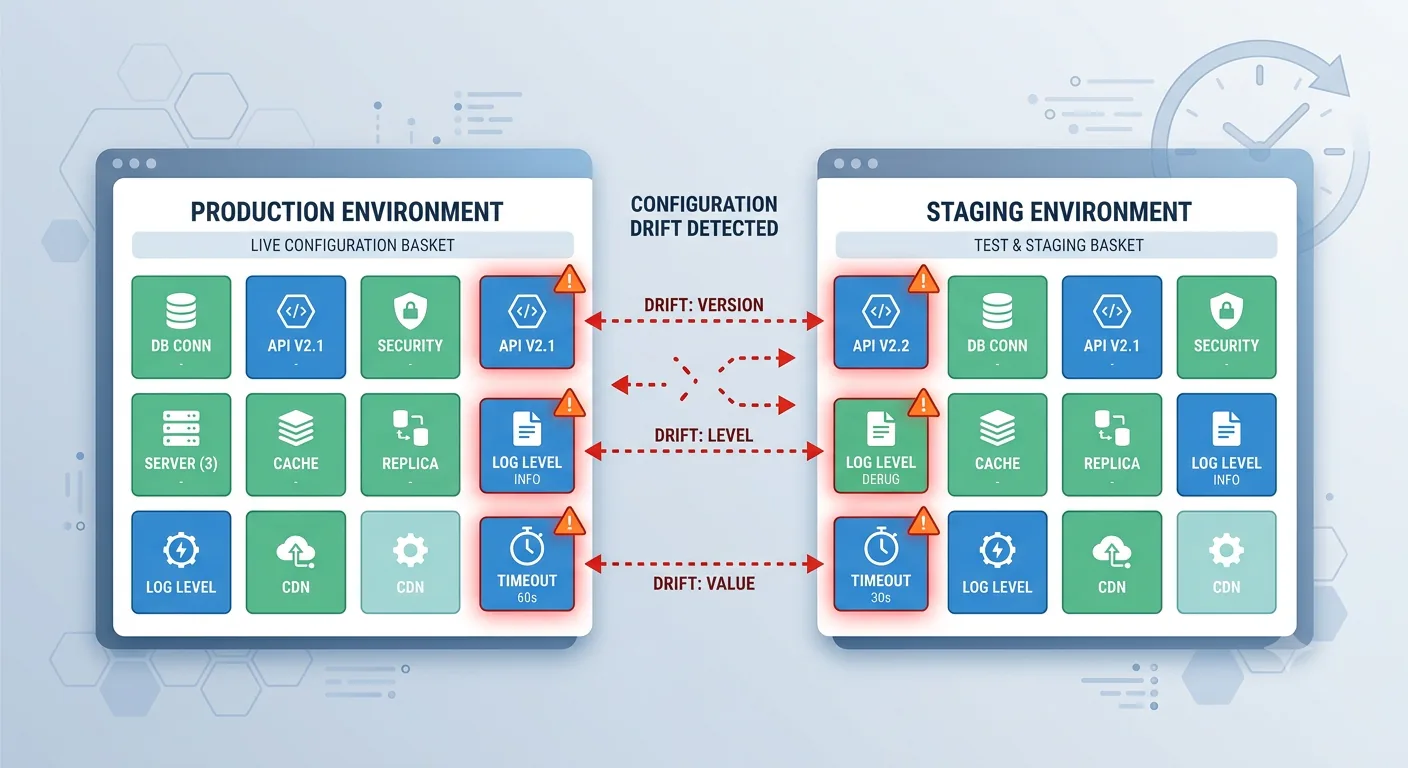
Configuration drift is one of the clearest reasons call monitoring and configuration monitoring need to be treated as separate layers.
What Configuration Monitoring Should Track
A configuration monitoring approach for Genesys Cloud should cover:
- Queues and routing rules
- Architect flows and IVR paths
- Skills and language settings
- Roles, permissions, and access control
- Schedules and workforce-related configuration
- Prompts and reusable flow resources
- Integrations and data actions
- Environment differences between dev, test, staging, and production
- Before-and-after values for every reviewed change
- Deployment status and rollback readiness
That's a wide surface area, which is exactly why it tends to go unmonitored. Each item individually seems manageable to track by memory or spreadsheet. The combination, across a live production contact center with multiple people making changes, is not.
Configuration Drift Detection for Genesys Cloud
Configuration drift detection means comparing the live state of a system against an approved baseline or known-good version. In Genesys Cloud, that baseline is not infrastructure in the traditional sense. It is the contact center configuration that controls customer journeys: Architect flows, queues, routing rules, roles, permissions, prompts, schedules, integrations, data actions, and environment-specific settings.
Infrastructure teams have used this discipline for years: compare a live environment against a declared, version-controlled state, then treat any difference as something to explain. Genesys Cloud teams need the same discipline applied to contact center configuration, because the same underlying problem shows up: a change gets made, nobody records it against an approved state, and the gap between what is supposed to be running and what is actually running grows until it causes an incident.
Drift shows up after emergency fixes, admin UI edits made directly in production, partial deployments, undocumented operational changes, and environment-specific hotfixes that were only meant to be temporary. A change can be valid in isolation and still create risk if what is live no longer matches what was reviewed, tested, or approved.
What Can Drift in Genesys Cloud?
Practically, drift can show up in any of the following:
- Architect flows and reusable tasks
- Queue routing rules
- Skills, groups, and divisions
- Roles and permissions
- Prompts and shared resources
- Schedules and operating hours
- Data actions and integrations
- IVR paths and transfer logic
- Development, test, staging, and production environments, relative to each other
Any one of these can change without a corresponding update to the approved baseline. Once that happens, testing against staging stops meaning what everyone assumes it means.
Why Drift Detection Matters
A handful of distinct risks accumulate from unmonitored drift:
- Security risk - roles, permissions, and integrations can change without going through approval.
- Operational risk - routing, schedules, and flows behave differently than the team expects, because what is live has quietly diverged from what was documented.
- Release risk - production no longer matches the environment that was actually tested, so a "safe" deployment is not being tested against reality.
- Compliance risk - when an auditor asks why a change happened, there is no record connecting the change to an approval or a reason.
- Recovery risk - during an incident, nobody is certain which version is actually the known-good one to restore.
Detect, Triage, and Remediate Drift
A workable process for handling drift follows the same shape regardless of what drifted:
- Detect - compare the live Genesys Cloud configuration against an approved baseline, continuously rather than on a periodic audit cycle. A quarterly review finds drift only after it has had months to cause problems.
- Triage - classify what drifted by the kind of risk it creates: routing risk, permission risk, integration risk, or release risk, since each points at a different owner and urgency.
- Decide - work out whether the change was an authorized update, a legitimate emergency hotfix nobody documented, or something that should not have happened at all.
- Fix - either roll back to the known-good state, or, if the change turns out to be legitimate, update the approved baseline so it reflects reality going forward.
- Document - record who changed what, when, why, and what was ultimately restored or accepted, so the next incident does not start from zero again.
The reason continuous detection matters more than periodic audits is simple: a quarterly review that finds a permission change made two months ago tells you the damage window was two months long, not that the process worked.
How Configuration Monitoring Supports Release Safety
Configuration monitoring is most useful when it is tied into an actual change process, not treated as a passive dashboard. A typical flow looks like:
- Detect the proposed change as it is made, rather than discovering it after the fact.
- Compare it against the approved state to see exactly what is different.
- Validate dependencies and affected objects, because a queue change can affect a routing rule, and a routing rule can affect an Architect flow.
- Promote through controlled environments rather than pushing directly to production.
- Record who approved and deployed it, creating the audit evidence a review or incident investigation will eventually need.
- Monitor for drift after release, since configuration can diverge from the approved state even after a clean deployment.
- Restore the last known-good version if the change fails, rather than manually reconstructing the prior state under pressure.
Each step depends on the one before it. Detecting a change without comparing it to an approved state just produces noise; validating a change without a rollback path leaves you no better off when validation turns out to be wrong.
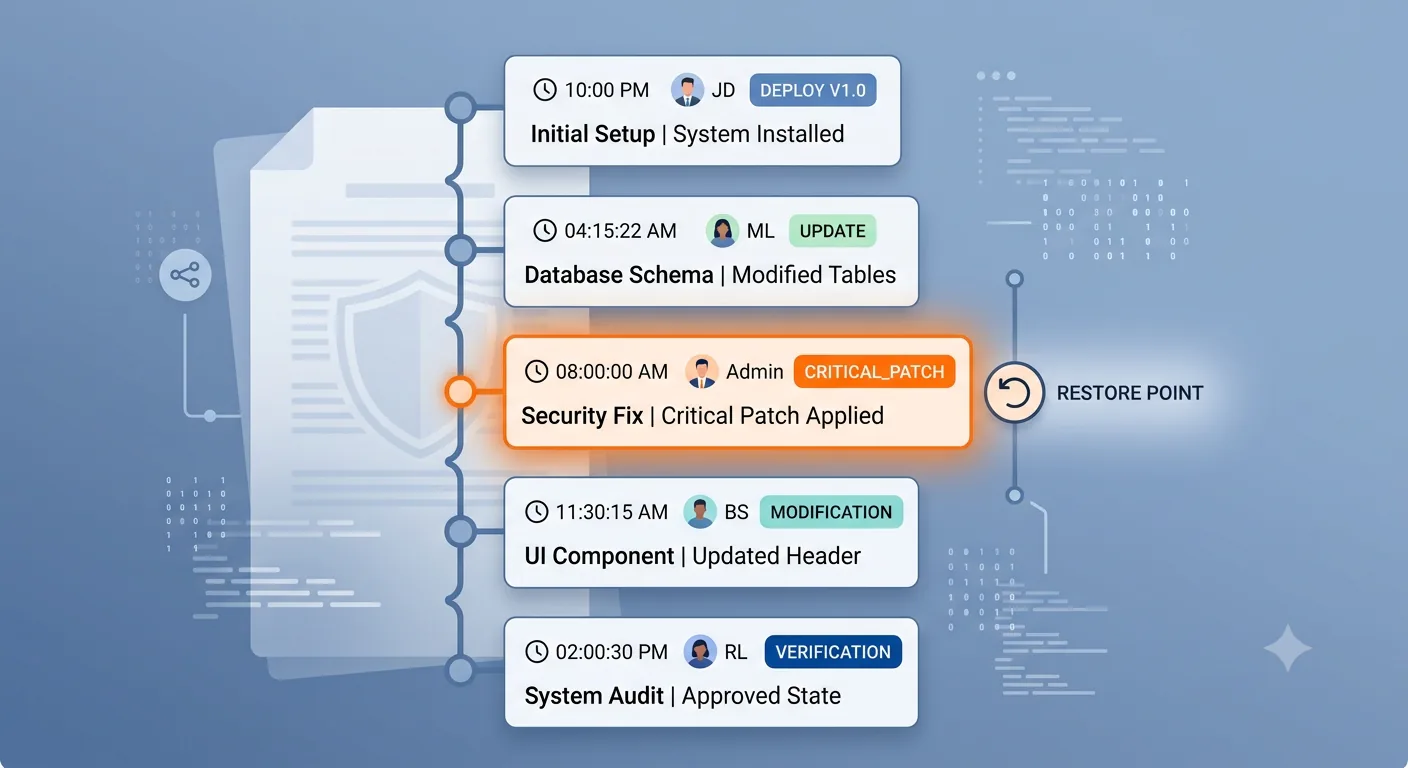
A useful configuration monitoring model preserves the timeline: what changed, who changed it, when it was approved, and which state can be restored.
Where AI Call Monitoring Tools Stop
Modern AI-driven call monitoring tools are genuinely capable. They can score conversations, summarize calls, detect sentiment, surface coaching opportunities, and populate real-time dashboards. That capability is valuable and complementary to configuration monitoring, not a replacement for it.
What these tools generally do not answer:
- Did a routing change cause the customer issue we are seeing in the data?
- Did production drift from what was tested in staging?
- Which configuration object changed right before the incident started?
- Can we restore the prior, working version of that configuration?
- Can we prove the change was reviewed and approved before it was deployed?
These are exactly the questions that come up during an incident review or a compliance audit. They are also the questions call monitoring tools, however sophisticated, were not built to answer.
How InProd Helps
InProd brings configuration monitoring and change governance specifically to Genesys Cloud and Genesys Engage environments:
- Configuration version control for Genesys Cloud and Genesys Engage objects, tracked the way software teams track code changes.
- Change comparison before promotion, so what is about to change is visible before it goes live, not discovered after.
- Audit trails with before-and-after values, giving teams a real answer when asked what changed, when, and by whom.
- Validation gates before production release, catching problems in a non-production environment instead of live.
- Controlled promotion across environments, keeping dev, test, staging, and production aligned rather than quietly drifting apart.
- Rollback support from known-good configuration states, so recovering from a bad change is a deployment, not a reconstruction from memory.
- Integration with CX assurance tools where applicable, connecting configuration change history to the symptoms experience-monitoring tools detect.
For a deeper InProd workflow, see DevOps for Genesys Cloud, configuration auditing for Genesys Cloud, and Genesys Cloud CI/CD validation and promotion governance.
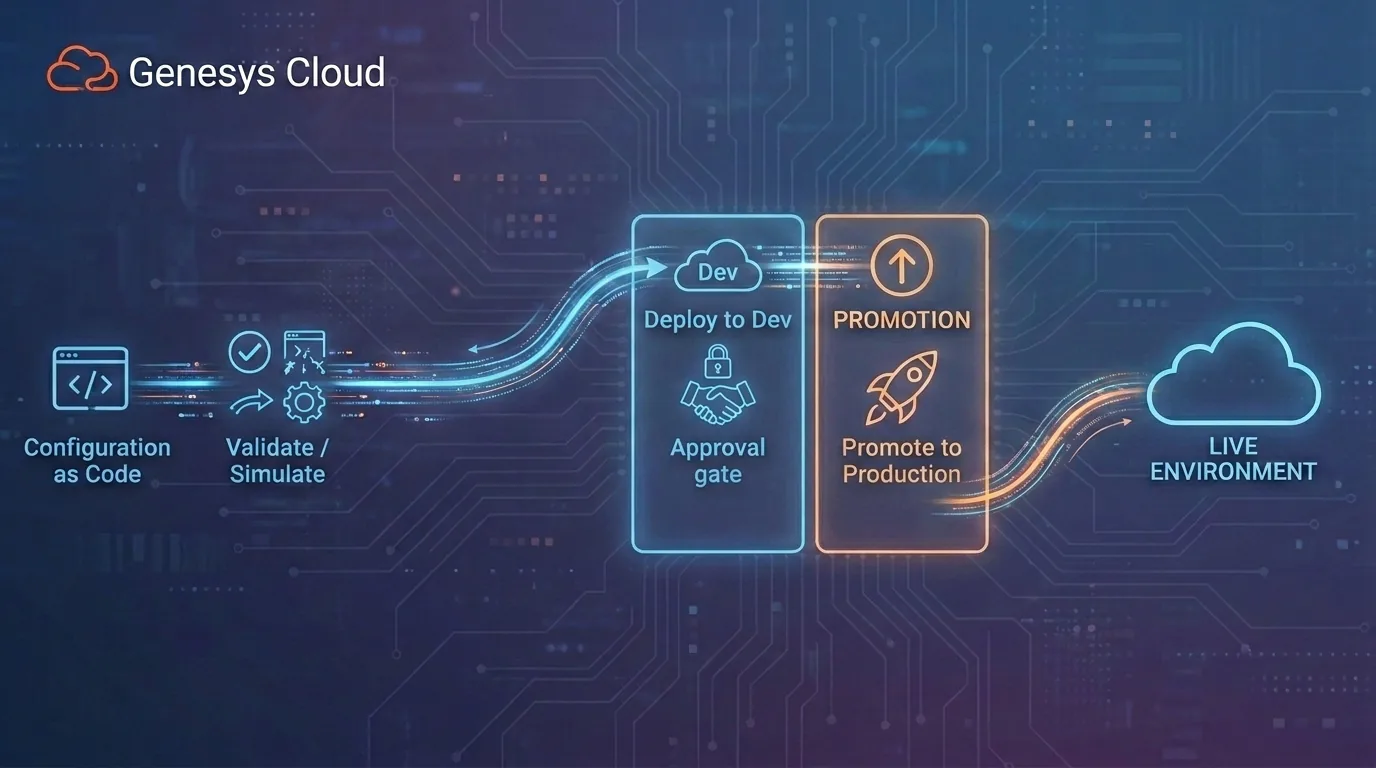
InProd connects monitoring to release governance: validate, approve, promote, and recover from a known configuration state.
FAQ
What is contact center monitoring software?
Contact center monitoring software tracks contact center performance, customer interactions, agent activity, quality scores, and operational data across channels such as voice, chat, email, and messaging.
What is contact center configuration monitoring?
Contact center configuration monitoring tracks changes to the settings that control routing, IVR flows, queues, permissions, integrations, schedules, and other operational objects. It helps teams detect drift, review changes, validate releases, and recover from bad configuration changes.
Is configuration monitoring the same as call monitoring?
No. Call monitoring focuses on conversations, recordings, agent performance, and quality assurance. Configuration monitoring focuses on the setup behind the contact center, including what changed, who changed it, and whether the change is safe to release.
Why does Genesys Cloud need configuration monitoring?
Genesys Cloud environments often contain complex routing, Architect flows, queues, permissions, integrations, and schedules. Monitoring those configurations helps teams catch drift, control production changes, maintain audit evidence, and reduce outage risk.
What should a Genesys Cloud configuration monitoring tool track?
It should track routing logic, Architect flows, queues, skills, roles, permissions, integrations, prompts, schedules, environment differences, change history, approvals, deployment status, and rollback readiness.
What is configuration drift detection in Genesys Cloud?
Configuration drift detection in Genesys Cloud is the practice of continuously comparing a live org's configuration against an approved baseline. It helps teams catch unreviewed changes to flows, queues, routing, roles, permissions, integrations, schedules, and data actions before they create customer-impacting incidents.
Can contact center monitoring software prevent outages?
It can reduce risk when it monitors the configuration layer, validates changes before release, and provides a rollback path. Traditional call monitoring may detect symptoms, but configuration monitoring helps identify and control the changes that caused them.

Jarrod Neven
Contact Center Expert, Director at InProd Solutions
Jarrod has been working in the enterprise CX space since 2001. Before starting InProd, he spent several years as a CTI Solutions Architect at Genesys itself, working across the APAC region with enterprise and government customers, which gives him a different perspective on how their platforms actually work under the hood. He's been Director at InProd Solutions since 2016, helping organizations cut through the complexity of Genesys Engage deployments.