
Genesys Cloud Change Management and Change Control
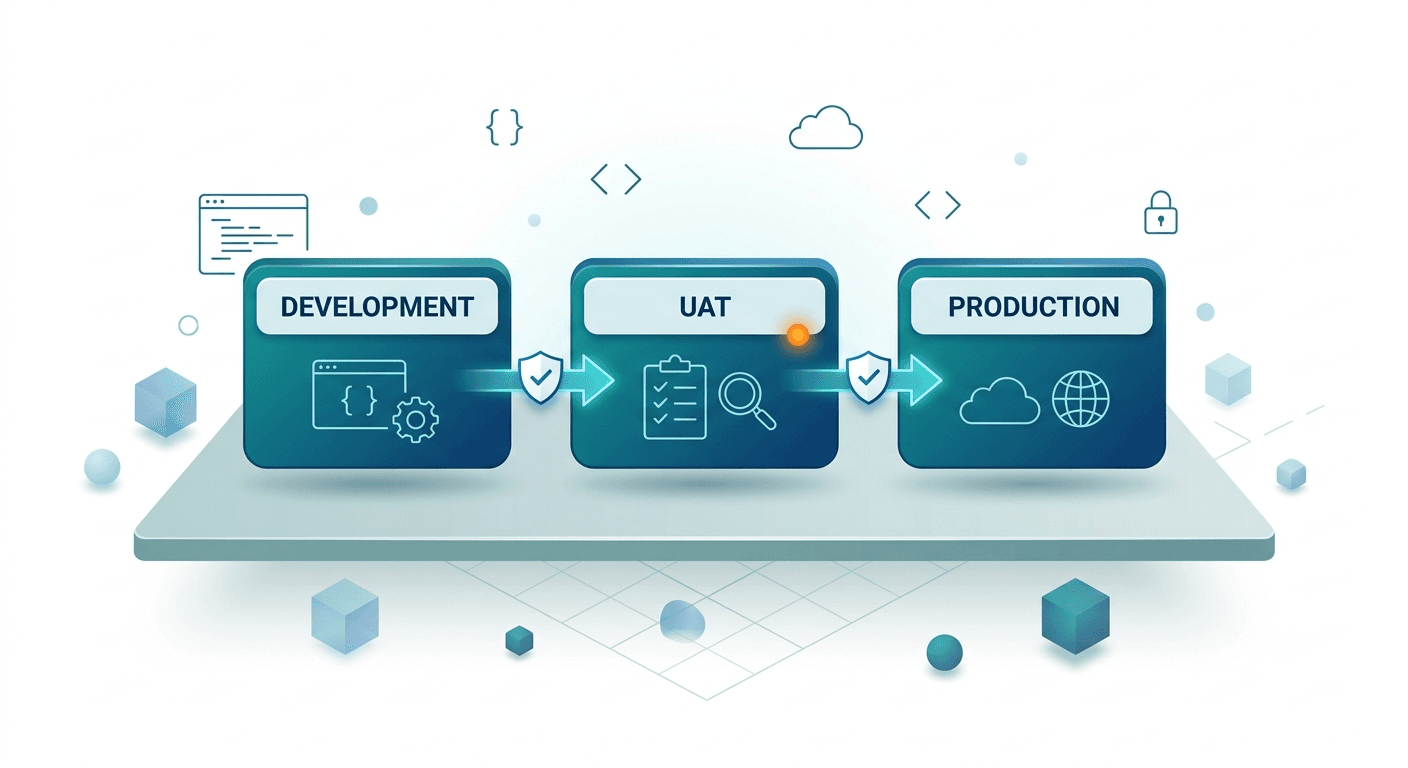
Genesys Cloud change management is the discipline of planning, reviewing, validating, deploying, and auditing the configuration changes that control your contact center. Change control is the technical process, and the tooling, that governs how those changes move from development through UAT into production without breaking anything along the way. For most contact centers, that process is still manual: an admin edits a queue or flow directly in production, hopes it matches what was tested, and finds out days later whether it actually worked.
For a growing number of Genesys Cloud CX teams, that's no longer good enough. As contact centers scale, with more queues, more flows, more integrations, and more people with admin access, change control stops being a nice-to-have and becomes the thing standing between a routine update and a production outage.
This guide covers what change control actually means for Genesys Cloud, why manual processes break down as environments grow, and how configuration as code, CI/CD, and structured auditing bring the discipline of modern DevOps to contact center operations, including how to think about building this capability versus buying it.
Change Management Has Two Sides
Most CX change management frameworks focus on adoption: building awareness, aligning culture, training people, communicating the reason for a change, and reinforcing the new behavior. That people-side work matters, but it does not answer what happens to the Genesys Cloud configuration underneath the change.
A transformation can be adopted successfully and still fail a few weeks later because a routing rule conflicts with a queue, an integration changes without a record, or a production setting drifts away from the tested version. People change management asks whether the team will adopt the new process. Technical change control asks whether the system will remain stable, traceable, and recoverable after the change goes live.
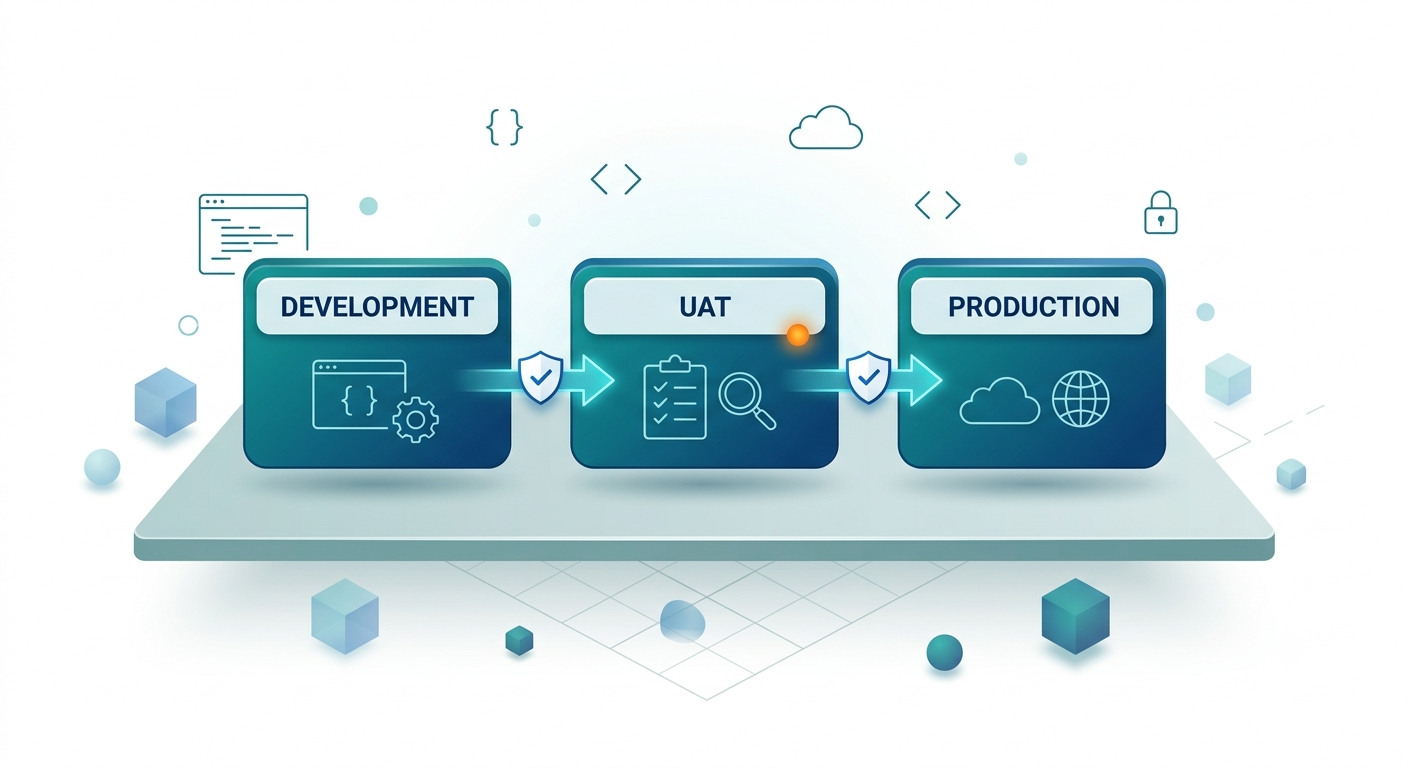
The two disciplines work together. A complete Genesys Cloud change management process records configuration changes before deployment, reviews them, validates dependencies, promotes them consistently across environments, and keeps a reliable path back to the last known-good state. This is the technical half that turns a successful rollout into a sustainable one.
Change Management in Genesys Cloud: Admin Changes vs. Flow Changes
Genesys Cloud change management has to cover both administrative configuration and customer-facing flow logic. The two categories are connected, but they fail in different ways and need different review depth.
| Change type | Common examples | Why it matters | Governance need |
|---|---|---|---|
| Admin changes | Users, roles, permissions, queues, skills, schedules, divisions, data actions, integrations | These changes affect who can do what, how work is routed, and which systems Genesys Cloud depends on | Audit trail, access review, dependency validation, environment comparison |
| Flow changes | Architect flows, IVR menus, in-queue flows, prompts, reusable tasks, routing decisions | These changes directly shape the customer journey and can break containment, transfers, or routing | Pre-release validation, peer review, test evidence, rollback path |
Treating every change as a simple admin edit is where risk creeps in. A permission update may create a compliance issue; a queue change may affect service levels; a flow update may alter the path every caller takes before reaching an agent. Mature Genesys Cloud change management separates these risks, then brings them back into one governed release process: define the change, validate dependencies, promote it through environments, record approval, and keep rollback available if production behaves differently than expected.
What Change Control Actually Covers in a Genesys Environment
"Change control" sounds abstract until you break down what's actually changing. In a Genesys Cloud environment, configuration isn't one thing; it's dozens of interconnected object types, each with its own dependencies and blast radius when something goes wrong.
A meaningful change control process needs to account for:
- Routing and queues: queue definitions, skill-based routing rules, and the priorities that determine how interactions get distributed
- Architect flows: inbound call flows, IVR logic, in-queue flows, and the decision trees that determine what a customer experiences before they reach an agent
- Data actions and integrations: connections to CRMs, ticketing systems, and third-party APIs that flows depend on to function
- Users, roles, and permissions: who can see what, act on what, and change what within the org
- Schedules and workforce management: configuration, management units, forecasting parameters, and scheduling rules
- Outbound and campaign configuration: dialing rules, attempt limits, and contact list management
- Divisions and access control: the structures that determine visibility and permissions across a multi-team or multi-brand org
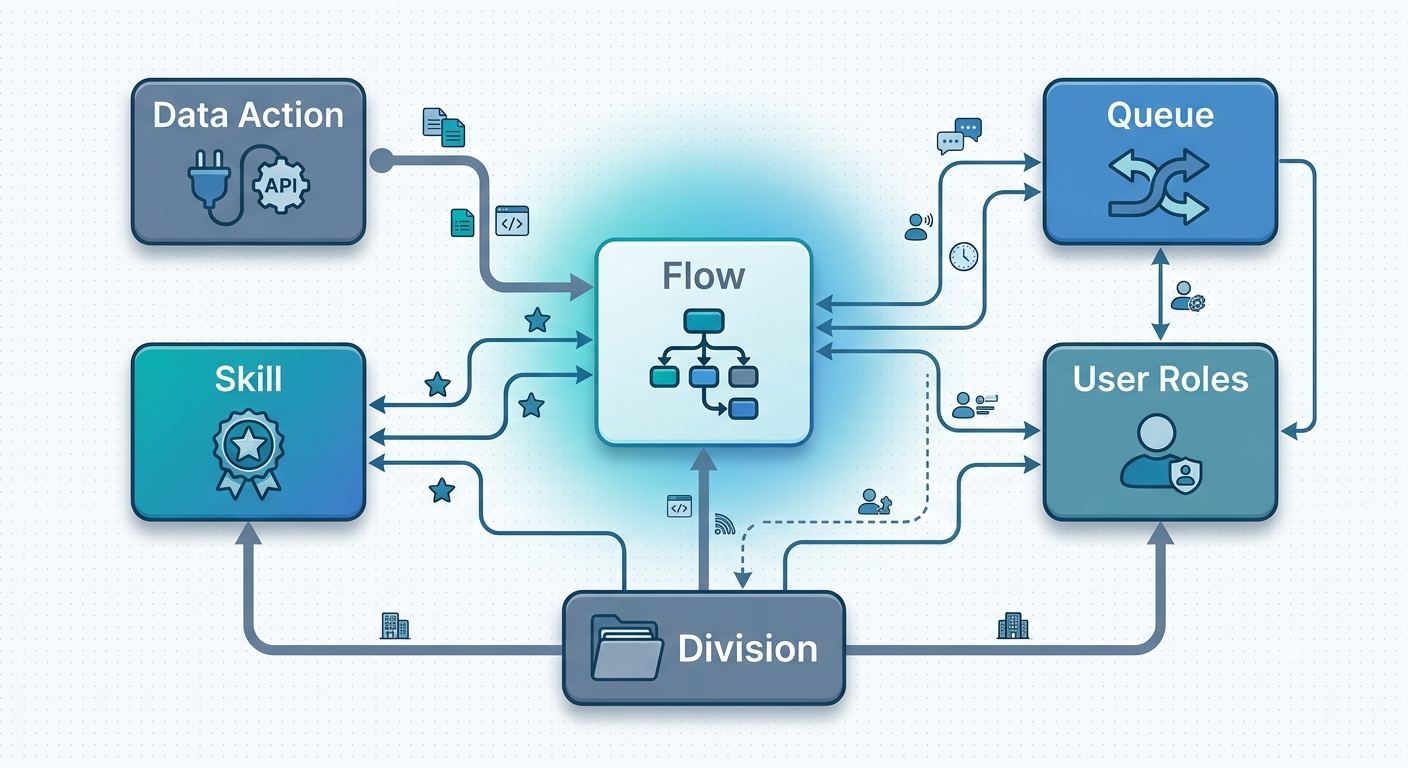
Each of these object types can depend on others. A flow references a queue. A queue references a skill. A skill references a division. Change one without understanding what references it, and you can break something that looks completely unrelated on the surface.
This is the part that makes Genesys change control harder than change control in a typical application environment: the dependency graph is often invisible until something breaks. Native Genesys Cloud tooling shows you what an object currently looks like; it doesn't reliably show you everything that depends on it, or what changed to get it there. That gap is exactly what structured change control is built to close.
It's also why change control can't be treated as a single, uniform policy applied evenly across the environment. A change to a low-traffic internal queue and a change to the main inbound routing flow carry very different levels of risk, even though both are technically "a configuration change." Mature change control processes tend to reflect that, applying lighter-touch review to low-risk objects and stricter validation, approval, and testing to the handful of configuration areas that would cause real damage if they broke. Treating every change identically either slows teams down unnecessarily on low-risk work, or, more dangerously, treats high-risk changes with the same casual process as everything else.
Why Manual Change Control Breaks Down
Most Genesys Cloud environments start simple. One admin, one org, changes made directly in the platform through the UI. It works fine, for a while.
A day in the life of a manual change, gone wrong
An admin needs to update a routing rule ahead of a product launch. They make the change directly in production, test it with a handful of calls, and move on. Three days later, a different queue starts misrouting interactions. Nobody connects it to the original change, because nobody wrote it down. The team spends half a day in Genesys Cloud clicking through configuration screens trying to reconstruct what changed, when, and by whom, because the platform's native activity history wasn't built to answer that question quickly across dozens of interdependent objects.
That scenario, or something close to it, is close to universal for any Genesys Cloud team without structured change control. The cracks show up in predictable places:
- No reliable audit trail. When something breaks, the first question is always "what changed?" Without structured change control, answering that means digging through memory, Slack threads, and guesswork, not logs.
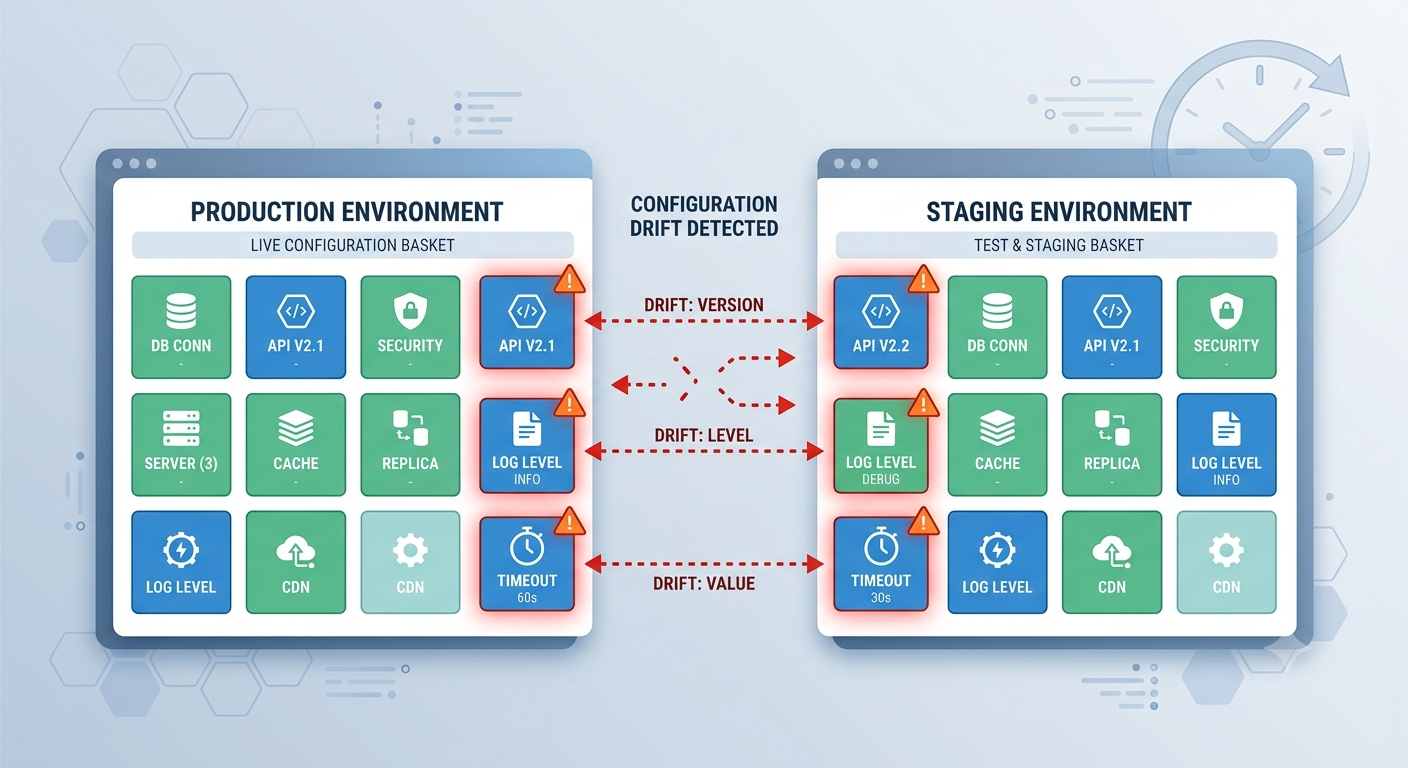
- Configuration drift. Development, UAT, and production environments quietly diverge over time as changes get applied inconsistently: applied in one environment and forgotten in another, or applied in the wrong order.
- Risky manual replication. Recreating a change by hand across multiple environments is slow and error-prone. Every manual step is a chance to introduce a typo, miss a dependency, or apply a setting inconsistently.
- No safe way back. When a change causes a problem, "who changed this, when, and why" is only half the question. The other half, how do we revert it cleanly without also undoing unrelated changes made since, is often impossible without a proper change history.
Why this gets worse as teams grow, not better
The instinct is often that more people means more coverage: more eyes on the configuration, more institutional knowledge. In practice, the opposite happens. With one admin, tribal knowledge is at least concentrated somewhere. With five or ten admins across regions, shifts, or business units, no single person has full visibility into what's changed recently, why, or what else might be affected. The informal process that worked at a small scale, "just ask the person who usually handles this," stops being reliable exactly when the cost of a mistake goes up. This is the point where most contact centers start looking for a structured alternative.
Configuration as Code: The Modern Approach to Genesys Change Control
Configuration as code applies a simple idea to Genesys Cloud: instead of treating configuration as something that lives only inside the platform UI, define it in version-controlled files, JSON or YAML, that represent the desired state of your environment.
Before and after
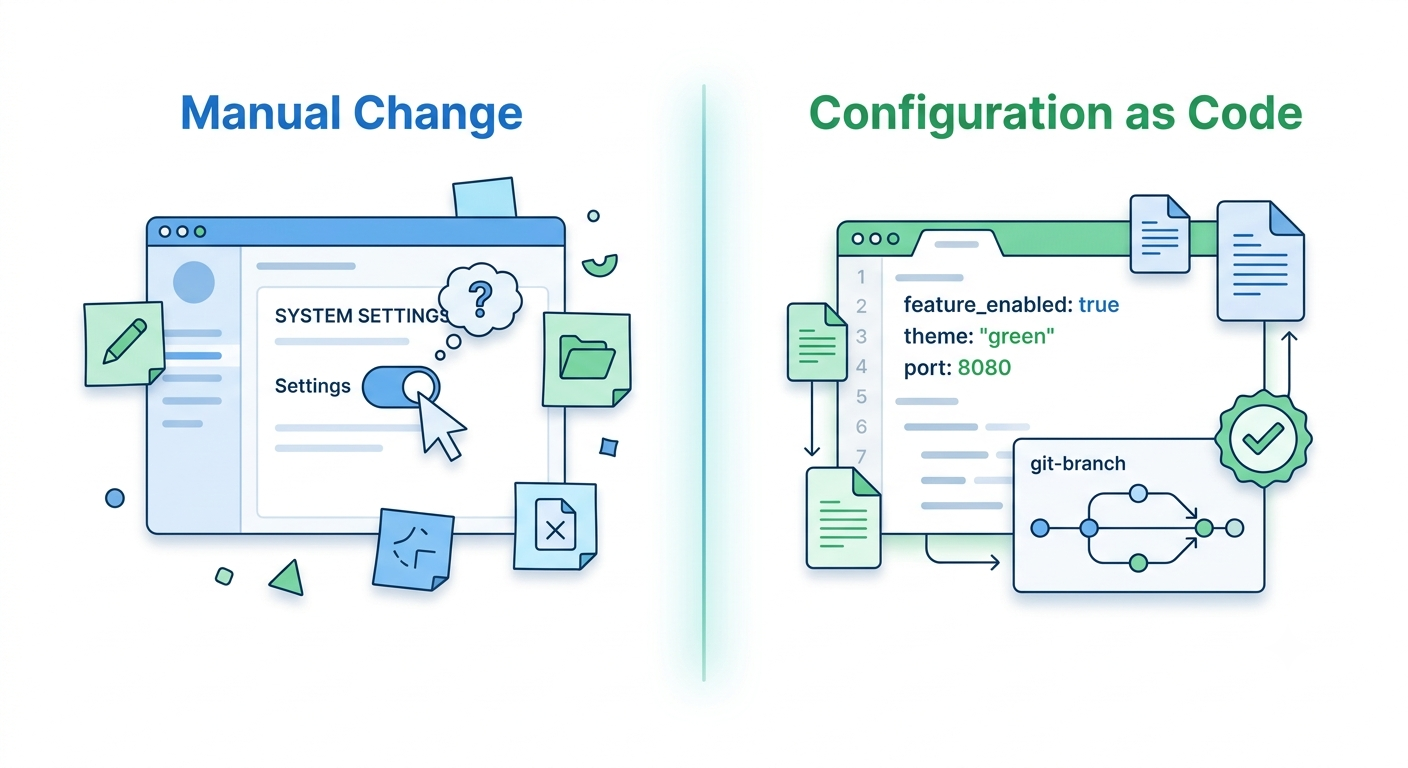
Under a manual process, a change is an action: someone opens Genesys Cloud, edits a queue, and saves it. There's no artifact, just a before-state and an after-state, and whatever memory or documentation someone chooses to create separately.
Under configuration as code, a change is a file. Before it's applied to any environment, it exists as a defined, reviewable object, the same way a code change exists as a diff before it's merged. That file can be reviewed by a second person, tested against a non-production environment, and applied consistently to every environment that needs it, in the same way, every time.
That shift changes what change control actually means. Rather than a change being "whatever an admin clicked," a change becomes a reviewable, testable artifact:
- Every change is written down before it's applied, not reconstructed after the fact
- Changes can be peer reviewed the same way a pull request is reviewed in any other codebase
- The same defined change can be applied consistently across development, UAT, and production, with no manual re-entry and no drift
- Git history becomes your change history: who proposed it, who approved it, when it went out, and why
This is what proper Genesys configuration management looks like at scale. It doesn't replace the Genesys Cloud UI; it replaces ad hoc changes with a governed process that happens to use the UI's underlying configuration objects as its source of truth. Admins can still work visually when it makes sense; the difference is that every change, however it's made, ends up represented as a defined, trackable artifact rather than disappearing into platform activity logs.
InProd's configuration as code approach packages changes into changesets: bundled, validated units of change that move through environments the same way a build artifact moves through a software release pipeline.
CI/CD Pipelines for Genesys Cloud
Configuration as code is the foundation. CI/CD pipelines are what actually enforce change control automatically, instead of relying on someone remembering the process.
Breaking down the pipeline stages
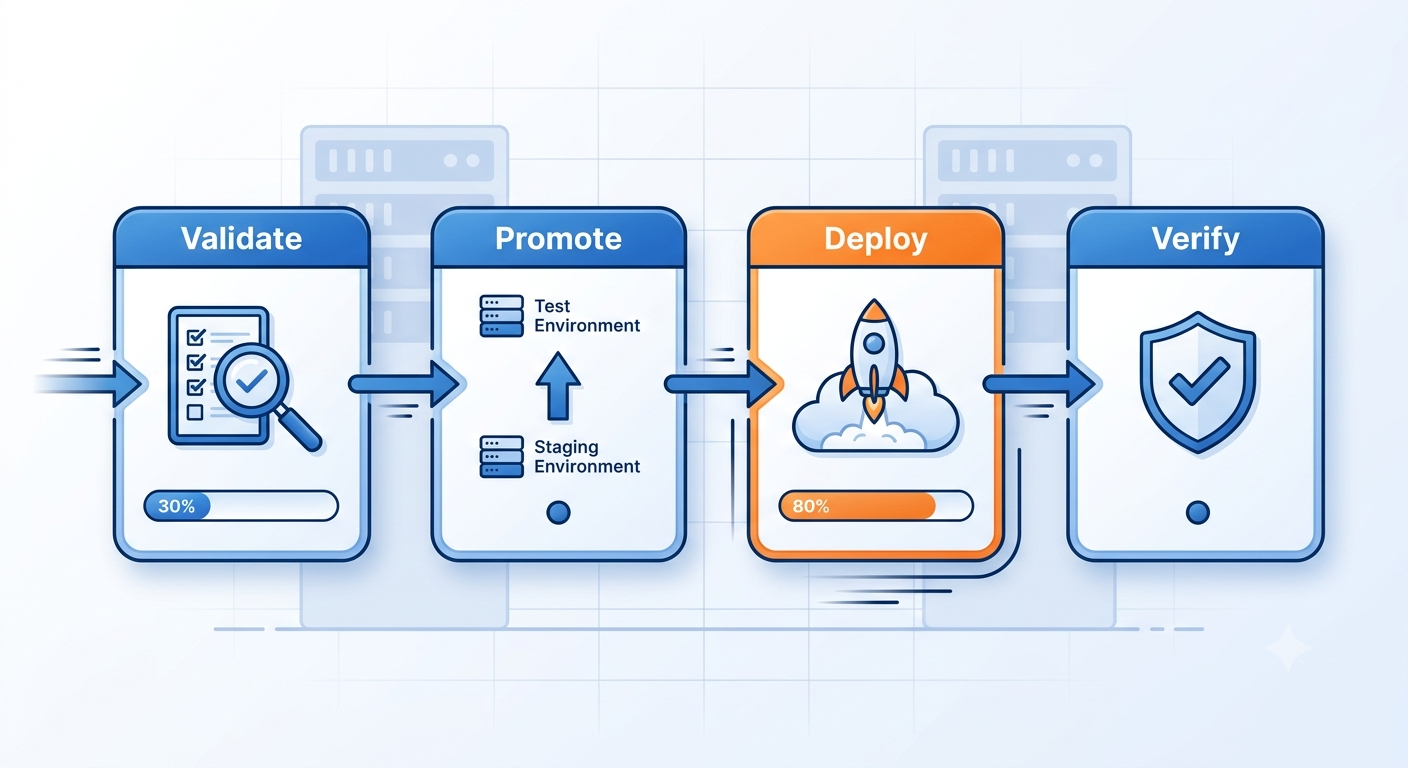
A properly built Genesys Cloud CI/CD pipeline typically moves a change through four stages:
- Validate. Before a change touches any live environment, it's checked for errors, broken dependencies, and invalid references. This is where a flow that points to a deleted data action, or a queue reference that no longer exists, gets caught before deployment, not during an incident.
- Promote. The validated change moves from development to UAT, automatically adjusting for environment-specific differences such as different org IDs, different naming conventions, and different integration endpoints, without someone manually re-entering the same change three times.
- Deploy. The change is applied to the target environment as a single, atomic action, generating its own change control documentation as it goes rather than requiring a separate record to be created and kept in sync.
- Verify and roll back if needed. Post-deployment checks confirm the change applied as expected. If it didn't, or if it causes a downstream problem, reverting is a pipeline action, not a scramble through configuration screens trying to remember what it looked like before.
How this connects to existing DevOps tooling
Under the hood, this relies on the Genesys Cloud API to read and write configuration objects programmatically, which is what makes automated validation and promotion possible in the first place. It is the same API surface that Genesys Cloud CX teams use for any deeper platform integration. That also means Genesys Cloud change control doesn't have to live in isolation from the rest of an organization's DevOps stack. Pipelines can be orchestrated from tools teams already use, with Jenkins as a common example, running changesets from a Jenkinsfile alongside an organization's other CI/CD jobs, so Genesys Cloud releases follow the same governance and approval structure as everything else moving through the pipeline.
InProd's CI/CD pipeline and DevOps tooling connects directly into this workflow, including support for orchestrating changesets from Jenkins and similar CI/CD platforms.
Auditing, Compliance & Rollback
Change control isn't complete without a record of what actually happened, and a way to undo it cleanly when needed.
Genesys change management done properly gives you:
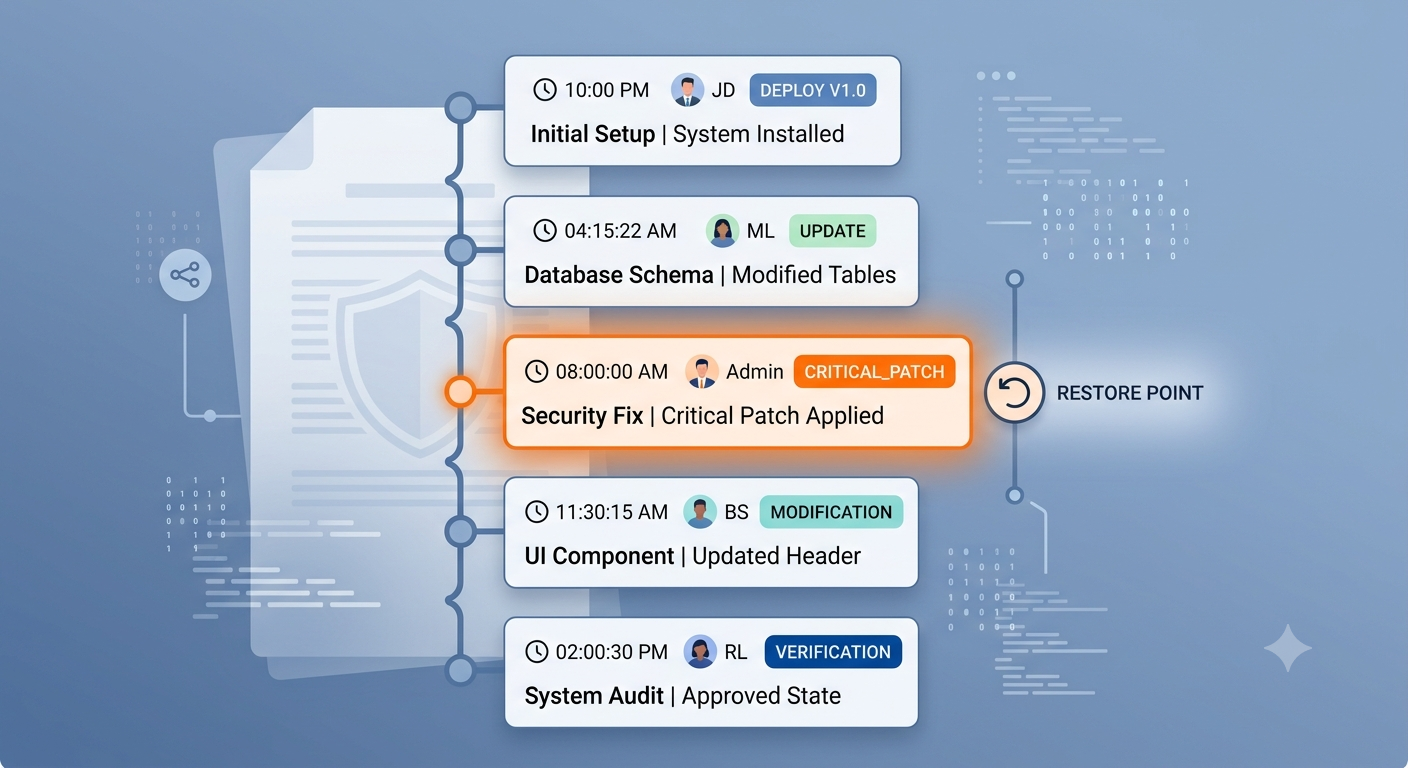
- A complete audit trail capturing who made a change, what it was, when it happened, and, where documented, why
- Point-in-time rollback, so you can restore a configuration object to exactly how it looked before a change, not just guess at reversing it manually
- Cross-referenced change records, linking audit trails back to the change control documentation and approvals that authorized them
- Visibility across environments, so drift between production and non-production is visible before it causes an incident, not after
Why this matters more during audit season
For regulated industries, including financial services, healthcare, and government, this isn't just an operational convenience. SOC 2 audits, internal compliance reviews, and customer security questionnaires routinely ask the same question in different forms: can you show us exactly what changed in your production environment, who approved it, and when? Without structured auditing, answering that means someone spending days manually reconstructing a change history from fragmented sources: Genesys Cloud's native activity logs, email approvals, ticketing systems, and memory. With structured change control, it's a report. That difference tends to be the moment change control stops being framed as a DevOps nice-to-have and starts being framed as a compliance requirement.
InProd's configuration auditing captures every change automatically, with the ability to revert individual parameters or restore full object state to any point in time.
Choosing a Change Control Approach: Build vs. Buy
Once a team decides manual change control isn't sustainable, the next decision is how to solve it: build internal tooling and process, or adopt a platform built specifically for Genesys change control.
Building in-house typically means custom scripts against the Genesys Cloud API, home-grown export/import processes, and internal documentation standards. This can work, particularly for teams with strong internal DevOps capability already, but it comes with ongoing costs that are easy to underestimate: someone has to maintain the scripts as the Genesys Cloud API evolves, onboard new team members to a bespoke system, and rebuild functionality that a dedicated platform already provides out of the box, like dependency validation and environment-aware promotion.
Adopting a dedicated platform trades that maintenance burden for a faster starting point, at the cost of adapting to someone else's model of how changesets, environments, and validation should work. For most teams, the deciding factor isn't cost in isolation; it's whether Genesys configuration management is core to what makes the business differentiated, or whether it's necessary infrastructure that's better served by tooling built specifically for this problem, the same way most teams don't build their own CI/CD platform from scratch for standard application code.
There's no universally correct answer here, but a useful test is this: if the answer to "who owns this internally, and what happens if they leave" is uncomfortable, that's usually a sign the internal-build path is carrying more risk than it appears to on paper.
It's also worth separating the two questions that often get bundled together: whether to build tooling at all, and whether to build it from scratch. Some teams land on a middle ground, using a dedicated platform for the parts of change control that are genuinely generic across any Genesys org (validation, environment promotion, drift detection, audit history), while keeping their own process and approval workflow layered on top. That approach tends to capture most of the maintenance savings of buying without forcing a team to give up the specific governance model they've already built internally.
How InProd Enforces Change Control End-to-End
InProd brings each of these pieces together into a single change control process for Genesys Cloud:
- Changesets bundle configuration changes into a reviewable, deployable unit: the working definition of "a change" in InProd
- Environment promotion moves changesets from development through UAT into production automatically, handling environment-specific differences along the way
- Change Sync detects configuration drift and keeps non-production environments aligned with production, so change control doesn't quietly erode between releases
- Full audit history ties every change back to who made it and when, with the ability to roll back cleanly, individually or to a full point-in-time state
Instead of change control being a manual discipline that depends on everyone following the process correctly, InProd makes the process the only way changes happen, which is what makes it reliable at scale, whether that scale is one org with a handful of admins or a global enterprise running Genesys across multiple business units. See how the same underlying model applies to broader Genesys Cloud operations in our CX as Code overview.
Frequently Asked Questions
What is change management in Genesys Cloud?
Genesys Cloud change management is the process of controlling changes to the configuration that runs a Genesys Cloud contact center. It includes planning the change, reviewing the affected objects, validating dependencies, promoting the change through environments, recording approval, auditing the result, and rolling back when needed.
What is change control in Genesys Cloud?
Change control in Genesys Cloud is the process of managing configuration changes to queues, flows, data actions, and other configuration objects, so they're reviewed, tested, and deployed consistently across environments, with a clear record of what changed and the ability to revert if needed.
What is the difference between Genesys change management and change control?
Change management is the broader operating discipline: deciding what should change, who needs to approve it, how users are prepared, and how risk is managed. Change control is the technical enforcement layer inside that discipline: validation, review, deployment, audit history, environment promotion, and rollback for the Genesys Cloud configuration itself.
How do I audit configuration changes in Genesys Cloud?
Genesys Cloud provides some native activity visibility, but structured auditing at scale typically requires dedicated tooling that captures every configuration change with full context: who, what, when, and why. It also needs to support point-in-time rollback. See configuration auditing for how this works in practice.
Can Genesys Cloud configuration be version controlled?
Yes. Genesys Cloud objects can be exported as JSON or YAML, committed to Git, and managed using configuration as code practices, applying the same version control, peer review, and deployment discipline used in standard software development.
Is Genesys Cloud change control the same as CI/CD?
CI/CD pipelines are one way to enforce change control, automating validation, promotion, and rollback, but change control is the broader discipline. You can have change control without full CI/CD, but CI/CD makes it consistent and repeatable rather than dependent on manual process.
Does change control slow down deployments?
Done manually, yes, it adds overhead. Done through configuration as code and automated pipelines, it's the opposite: validated changes can move through environments faster than manual processes, because errors are caught before deployment instead of after.
What's the difference between configuration auditing and change control?
Auditing is a component of change control, not a replacement for it. Auditing tells you what happened after the fact; change control governs how changes happen in the first place: validation, review, and promotion. Auditing then provides the record to verify it worked as intended.
How long does it take to implement structured change control for Genesys Cloud?
It depends on environment complexity, but most teams can get core changesets and environment promotion running well before they've mapped every configuration dependency in their org. Change control tooling is typically adopted incrementally, starting with the highest-risk configuration areas, like routing and flows, before expanding coverage.
Book a Demo to see how InProd brings structured change control to your Genesys Cloud environment.

Jarrod Neven
Contact Center Expert, Director at InProd Solutions
Jarrod has been working in the enterprise CX space since 2001. Before starting InProd, he spent several years as a CTI Solutions Architect at Genesys itself, working across the APAC region with enterprise and government customers, which gives him a different perspective on how their platforms actually work under the hood. He's been Director at InProd Solutions since 2016, helping organizations cut through the complexity of Genesys Engage deployments.