
Configuration Management Software: What It Does and How to Choose the Right Tool
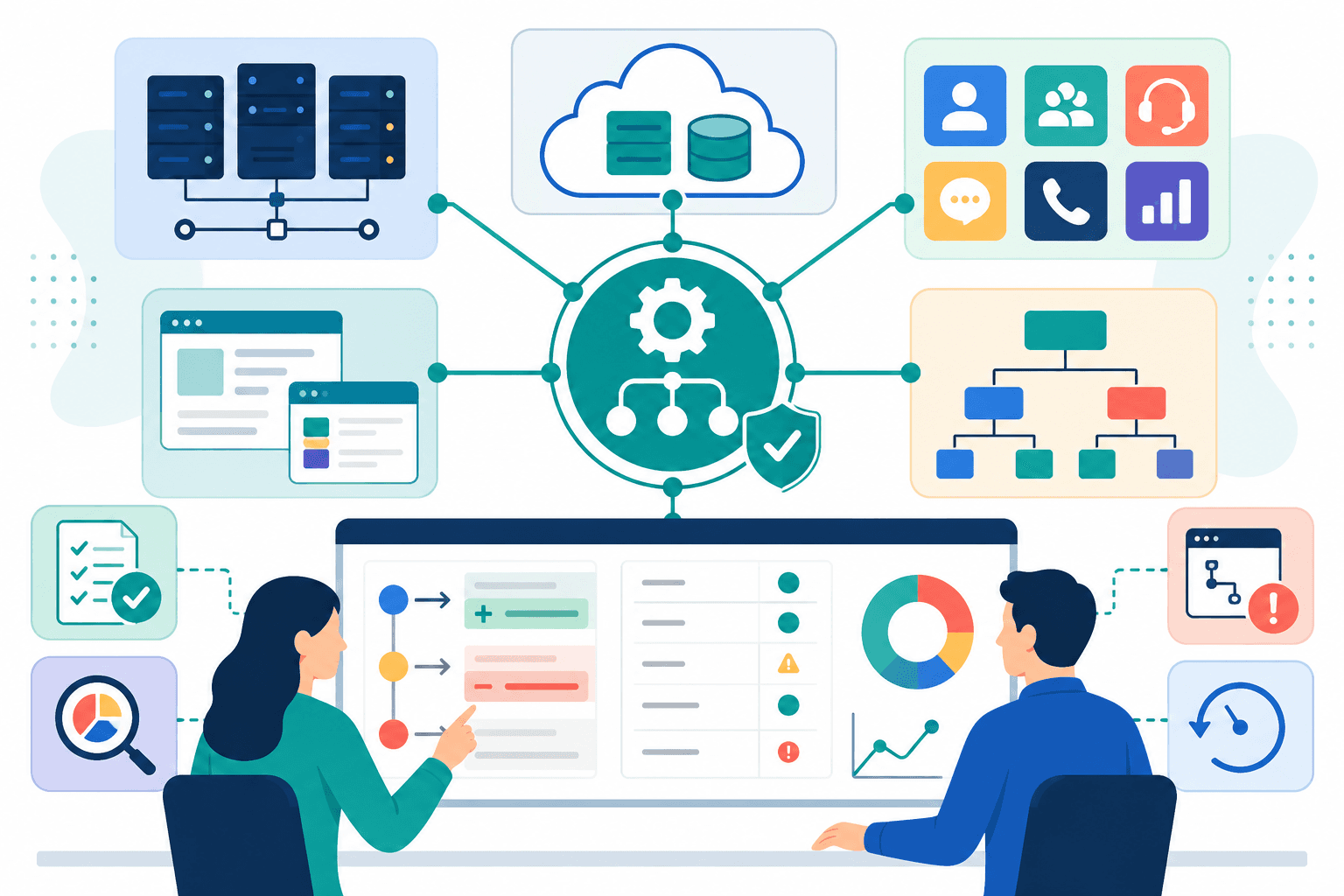
Configuration management software tracks, enforces, and audits the settings that determine how your systems behave.
It answers a deceptively simple question: is every part of your environment in the state it is supposed to be in? When the answer is no, good configuration management software tells you what drifted, when it changed, who changed it, and how to get back to a known-good state.
The category is broad. Some tools manage operating system packages and server configuration. Others handle application settings, infrastructure definitions, SaaS platform objects, or secrets. No single tool covers all of these layers. Choosing the right one means understanding which layer you actually need to govern.
What configuration management software actually manages
Regardless of the specific tool or layer, configuration management software performs a core set of functions.
Inventory. It maintains a record of what exists in your environment: servers, packages, settings, platform objects, or application parameters. Without a reliable inventory, you cannot know what you have and you cannot detect when something changes.
Desired state enforcement. You declare how things should be configured, and the software compares that declaration against reality. Any gap between the two is a deviation. Some tools correct deviations automatically. Others alert and require human action.
Change tracking. Every change to a managed resource is recorded: what changed, when, and in the best implementations, who made the change and why. This history is the foundation of incident investigation and compliance reporting.
Drift detection. Configuration drift is the gap between your declared configuration and what is actually running. It accumulates through manual edits, emergency fixes, vendor updates, and undocumented changes. Configuration management software surfaces this drift before it causes failures or audit findings.
Recovery and rollback. When something goes wrong, configuration management software provides a path back. That might be restoring a previous state file, reverting a changeset, or applying a known-good configuration baseline. For contact center teams, that recovery model is especially important because Genesys Cloud rollback is limited across many tenant-level configuration objects.
The main categories and familiar tools
Configuration management software splits into several distinct categories. Understanding which category a tool belongs to helps clarify what it can and cannot do for your environment.
Infrastructure and operating system configuration tools
These tools manage the configuration of servers, operating systems, packages, and services at the machine level. They are the original configuration management category and remain the dominant one in traditional infrastructure and cloud operations.
Ansible is an agentless automation platform that executes playbooks over SSH or WinRM. It is widely used for server provisioning, application deployment, and configuration enforcement. Its low barrier to entry and large community make it a common starting point for teams moving away from manual server management.
Puppet uses a declarative model where you write manifests describing the desired state of a system and Puppet agents enforce that state continuously. It is well suited to large, stable server fleets where drift correction needs to be automatic and ongoing.
Chef Infra Client takes a code-first approach where configuration is written in a Ruby-based DSL. It requires more engineering investment than Ansible but offers flexibility for complex, programmatic configuration logic.
Salt provides both configuration management and remote execution at scale. Its event-driven architecture makes it a strong choice for environments that need real-time response to infrastructure state changes.
Cloud and infrastructure as code tools
Terraform is a common tool for provisioning cloud infrastructure as code. It manages cloud resources declaratively across AWS, Azure, Google Cloud, and many SaaS providers through a broad provider ecosystem. It overlaps with configuration management but is optimized for provisioning rather than ongoing configuration drift correction.
AWS Systems Manager and Azure Automation provide cloud-native configuration management for workloads running on their respective platforms, integrating with cloud-native identity, secrets, and monitoring systems.
Read IaC versus configuration as code for a deeper comparison of provisioning and configuration governance.
Application and SaaS configuration management
A growing and less-discussed category covers the configuration of SaaS platforms and enterprise applications. These tools do not manage servers or operating systems. They manage the settings, objects, rules, and parameters that govern how a software platform behaves. This is the same category of risk covered in Genesys Cloud change control, where configuration changes need review, approval, auditability, and recovery.
The challenge in this category is that most SaaS platforms do not natively provide the governance capabilities that infrastructure tools take for granted: version control, environment promotion, drift detection, and rollback. Configuration changes are often made through admin interfaces and APIs, with limited audit trails and no structured promotion workflow.
This is the layer where contact center platforms, CRM systems, and enterprise applications accumulate their own configuration debt.
Configuration management versus adjacent categories
Configuration management is frequently confused with related but distinct disciplines. The differences matter for tool selection.
| Discipline | Primary concern | Typical tools |
|---|---|---|
| Configuration management | Desired state, drift, audit, recovery | Ansible, Puppet, Chef, Salt, InProd |
| Infrastructure as code | Provisioning and lifecycle of infrastructure | Terraform, Pulumi, CloudFormation |
| Deployment automation | Moving application builds through environments | Jenkins, GitHub Actions, Octopus Deploy |
| CMDB | Asset inventory and relationship mapping | ServiceNow CMDB, iTop |
| Secrets management | Secure storage and rotation of credentials | HashiCorp Vault, AWS Secrets Manager |
These categories overlap in practice. A mature DevOps pipeline typically uses tools from several of these categories together. In contact center operations, that often means pairing platform-specific governance with a Genesys Cloud CI/CD pipeline. The mistake is assuming one tool covers every layer.
How to evaluate configuration management software
Before choosing a tool, define the responsibilities and evidence it needs to support. Use our configuration management plan template and practical example to document that process.
The right tool depends on what you are trying to govern, at what scale, and under what operational constraints. The following checklist covers the most consequential decision points.
What layer are you managing?
Server and operating system configuration, cloud infrastructure, application settings, and SaaS platform objects each have different tool requirements. Start with the layer, not the tool.
For a server fleet, that may mean Windows and Linux support, package management, remote execution, and policy enforcement. For a SaaS platform, it may mean API coverage, object dependencies, environment mapping, and support for platform-specific configuration.
Agent-based or agentless?
Agent-based tools such as Puppet and Chef run software on each managed node and enforce state continuously. Agentless tools such as Ansible connect over SSH, WinRM, or API at execution time. Agentless tools are often simpler to deploy. Agent-based tools can provide stronger continuous enforcement.
Desired-state or procedural?
Desired-state tools such as Puppet and Terraform enforce a declared end state regardless of how the system got there. Procedural tools such as Ansible playbooks execute a sequence of steps. Desired-state workflows are resilient to drift. Procedural workflows can be flexible for complex operational tasks.
Drift detection capability
Does the tool actively monitor for deviations from declared state, or does it only check on demand? Continuous drift detection is significantly more valuable in environments with frequent manual changes or multiple administrators.
The useful question is not only whether drift exists. The tool should help answer what changed, when it changed, whether the difference is expected, and how to reconcile it.
Audit trail depth
Can the tool tell you who changed what, when, from what previous value, and under which approval or deployment record? Shallow audit trails are insufficient for regulated environments or serious incident reviews.
Rollback and restore points
What does recovery actually look like? Restoring a Terraform state file is different from reverting an Ansible playbook run or restoring a SaaS configuration object. Understand the rollback mechanism before the incident that requires it.
A practical tool lets the team identify a known-good state, see the proposed reversal, and restore it with appropriate checks. If recovery requires manually repeating dozens of administrative steps, it is not a dependable rollback process.
Environment promotion
If you run multiple environments, how does the tool handle promoting validated configuration between development, test, UAT, and production? Manual promotion reintroduces the human error risk that configuration management exists to reduce. For a Genesys-specific model, see how validation and promotion work in a governed Genesys Cloud pipeline.
Scalability and cost
Open-source tools such as Ansible, Puppet, Chef, and Salt are free at the tool level, but they require engineering investment to operate. Commercial platforms add support, a user interface, and integrated workflows. Evaluate total operational cost, not just licensing.
Comparison of common configuration management tools
| Tool | Model | Agent | Drift detection | Best suited for |
|---|---|---|---|---|
| Ansible | Procedural | Agentless | On demand | Server provisioning, application deployment |
| Puppet | Desired state | Agent-based | Continuous | Large server fleets, operating system configuration |
| Chef | Desired state | Agent-based | Continuous | Complex infrastructure, Ruby-fluent teams |
| SaltStack | Desired state | Agent-based | Continuous | Large-scale, event-driven environments |
| Terraform | Desired state | Agentless | On demand | Cloud infrastructure provisioning |
| InProd | Desired state | Agentless | Continuous | Genesys Cloud configuration governance |
Free configuration management software
There are free and open-source options, especially for infrastructure configuration. Ansible, Puppet, Chef, and Salt are common examples, although the total cost also includes hosting, maintenance, security, training, and the engineering time required to build workflows around them.
Free software is a reasonable starting point when the team has the skills to operate it and the target systems are well supported. A commercial platform may be a better fit when the cost of building object models, validation, environment promotion, audit reporting, and rollback is higher than the subscription cost.
Compare the complete operating model, not only the license price.
SaaS and contact center configuration: the underserved layer
Infrastructure configuration management tools are well served. The SaaS and enterprise application layer is not.
Most organizations running large SaaS platforms discover this gap when they try to apply standard DevOps discipline to their platform configuration. The Ansible playbook that manages your Linux servers does not know what a Genesys Cloud routing queue is. Terraform manages cloud infrastructure, and through specific providers, some SaaS resources, but it does not natively handle the full lifecycle of contact center configuration governance: validation before execution, environment-aware promotion, Admin UI change capture, audit history tied to deployment records, and point-in-time rollback.
This matters because contact center platforms are not passive infrastructure. They are operationally complex systems where configuration changes happen continuously: routing rules updated for new product lines, IVR flows modified for compliance, queue priorities adjusted for seasonal demand, agent skills reassigned during onboarding. Each of these is a configuration change that carries operational risk if applied incorrectly, inconsistently, or without a clear record.
The same failure modes that infrastructure configuration management was built to prevent apply directly here. The configuration management discipline that infrastructure teams take for granted needs to exist for this layer too. It simply needs tools built for the specific objects, dependencies, and operational patterns of the platform being governed.
Configuration management for Genesys Cloud
Genesys Cloud is a SaaS contact center platform with a complex configuration surface: queues, skills, routing configurations, IVR flows, schedules, user profiles, data actions, and integrations. Changes to any of these objects can affect customer experience, agent productivity, and service level performance.
Genesys Cloud's native tooling provides some configuration management capability. CX as Code, built on Terraform, enables version-controlled configuration for supported resources. The Genesys Cloud Terraform provider extends Terraform workflows into Genesys Cloud configuration. But CX as Code does not cover the full governance lifecycle that enterprise contact centers require.
Specifically, it does not detect or capture changes made through the Admin UI outside the pipeline. It does not provide structured environment promotion with validation gates. It does not generate deployment records showing which changeset reached which environment and when. Rollback often requires manual state reconstruction rather than a defined, tested restore operation.
InProd addresses this gap. It provides configuration management software built specifically for Genesys Cloud environments, covering the governance lifecycle that CX as Code and Terraform do not own.
The core capabilities map directly to the configuration management functions described above:
- Inventory and visibility: Every configuration object across Genesys Cloud environments is tracked, including changes made through the Admin UI.
- Desired state control: Changesets define the intended configuration, and Simulate Run validates them against the live target environment before anything is applied.
- Drift detection: Change Sync identifies when production diverges from lower environments and surfaces the specific objects that differ.
- Audit trail: Every change is recorded with who made it, when it happened, what the previous value was, and whether it came through the pipeline or directly through the UI.
- Rollback: Point-in-time restoration of configuration state can be executed as a governed operation rather than a manual reconstruction.
For organizations running Genesys Cloud at enterprise scale, this is not a niche extension of infrastructure configuration management. It is the configuration management discipline applied to the platform layer that infrastructure tools do not reach.
See Genesys configuration management with InProd Changesets, Genesys Cloud change control, GitOps workflows for Genesys Cloud configuration, and automating Genesys Cloud with enterprise DevOps for the platform-specific workflow.
A practical selection process
Use these questions to narrow the field:
- What layer are we managing: servers, cloud resources, application files, SaaS objects, or all of them?
- Is configuration stored as code, structured data, administrative objects, or a combination?
- How many environments must stay aligned?
- What kinds of drift matter, and how quickly must they be detected?
- Which changes require review or approval?
- How will the team validate dependencies before production?
- What evidence will an auditor or incident reviewer need?
- Can the team restore a known-good state without reconstructing the change manually?
- Which source control, CI/CD, ticketing, and identity systems must integrate?
- Is the organization buying a product, or preparing to operate a platform it builds itself?
The answers should produce a shortlist based on fit, not popularity. A tool that is excellent for managing thousands of servers may be a poor choice for governing a contact center platform. A tool built for SaaS configuration may not replace infrastructure automation. Good architecture often uses both.
Frequently asked questions
What is configuration management software used for?
Configuration management software tracks the settings and parameters that determine how systems behave, detects when those settings drift from their intended state, records changes with an audit trail, and provides a path to recovery when something goes wrong. It is used across server infrastructure, cloud environments, application platforms, and SaaS systems.
What is the best configuration management software?
There is no universal answer. Ansible is a common starting point for server and infrastructure configuration. Puppet and Chef offer continuous enforcement for large fleets. Terraform is widely used for cloud infrastructure provisioning. For SaaS platforms with their own configuration objects and governance requirements, specialized tools built for the specific platform are often more appropriate than generic infrastructure tools.
Is there free configuration management software?
Yes. Ansible, Puppet, Chef, and Salt are all open source and free at the tool level. Terraform's core engine is also open source. The operational cost of running and maintaining these tools varies significantly by scale and team capability. Commercial platforms add support, integrated user interfaces, and prebuilt workflows that reduce operational overhead.
Does configuration management software work on Windows?
Yes. Ansible, Puppet, Chef, and Salt all support Windows environments. Ansible manages Windows nodes over WinRM rather than SSH. Agent-based tools install Windows-compatible agents. Coverage and maturity vary by tool, with Linux generally having broader native support than Windows across the open-source configuration management ecosystem.
What is the difference between configuration management and infrastructure as code?
Infrastructure as code focuses on provisioning: creating, updating, and destroying infrastructure resources through code. Configuration management focuses on ongoing governance: ensuring resources remain in their intended state, detecting drift, and maintaining audit history. Terraform is primarily an IaC tool. Puppet and Ansible are primarily configuration management tools. In practice, the two disciplines are complementary and often used together.
What is configuration drift?
Configuration drift is the gradual divergence between the intended state of a system and its actual state in production. It accumulates through manual edits, emergency changes, undocumented modifications, and vendor updates. Left undetected, drift creates unpredictable system behavior, complicates troubleshooting, and undermines the reliability of future deployments. Configuration management software detects and surfaces drift so it can be corrected before it causes failures.
Can configuration management tools manage Genesys Cloud?
Generic infrastructure tools are not designed to understand every Genesys Cloud object and dependency. A platform-specific configuration management workflow can provide the versioning, validation, promotion, audit, and recovery controls that contact center teams need.
Final takeaway
Configuration management software is the control layer between a desired system state and the system that is actually running. It helps teams make changes consistently, understand what happened, and recover when a change has an unexpected effect.
The right choice depends on the layer being managed. Use infrastructure tools for infrastructure, IaC for provisioning, CMDB capabilities for visibility, and platform-aware configuration management for complex SaaS systems. For Genesys Cloud teams, InProd provides that platform-specific layer so configuration changes can move through environments with the same discipline as modern software delivery.

Jarrod Neven
Contact Center Expert, Director at InProd Solutions
Jarrod has been working in the enterprise CX space since 2001. Before starting InProd, he spent several years as a CTI Solutions Architect at Genesys itself, working across the APAC region with enterprise and government customers, which gives him a different perspective on how their platforms actually work under the hood. He's been Director at InProd Solutions since 2016, helping organizations cut through the complexity of Genesys Engage deployments.