
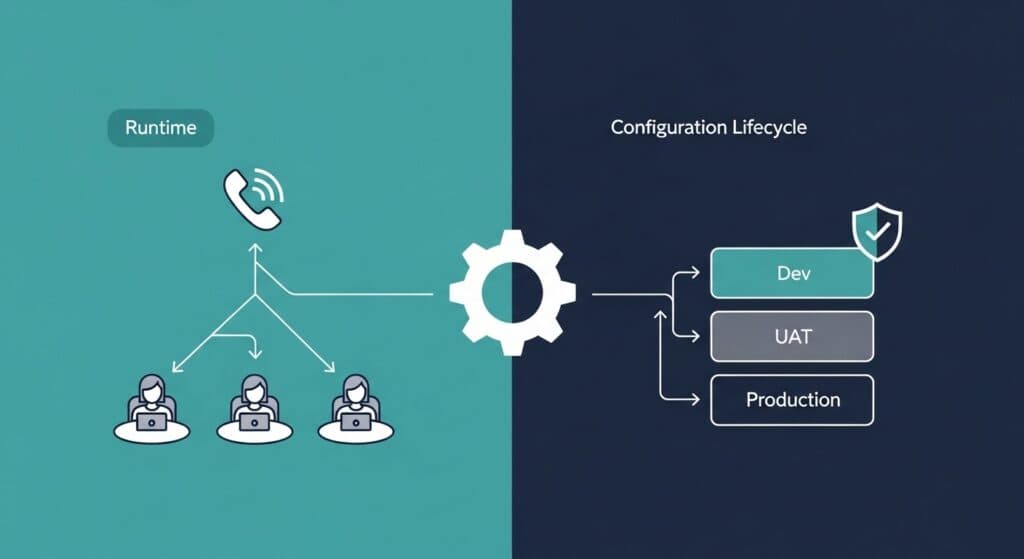
Automating Genesys Cloud: Enterprise DevOps
Genesys Cloud offers a powerful set of native tools for contact center management, but as organizations scale, those tools begin to show their limits. Understanding what Genesys Cloud can automate natively, and where enterprise-grade DevOps practices must supplement it, is essential for operations teams managing complex, multi-environment deployments.
Common Use Cases for Genesys Cloud Automation
Agent and User Management
Native Genesys Cloud supports bulk import of users via CSV, API-driven agent creation and updates, group and skill assignment through the admin UI, and integration with identity providers like Okta for automated provisioning and deprovisioning.
For routine user management at scale, these capabilities are adequate. The limits emerge when user management intersects with configuration management, for example, when new agents need to be assigned to queues and routing profiles that must themselves be consistently configured across environments.
Task Routing Automation
Genesys Cloud's Architect tool enables sophisticated routing flows built on conditional logic, data actions, and intent detection. These flows can be configured to route contacts based on customer data, interaction history, IVR inputs, and predicted intent.
Automation within routing is primarily handled by the flows themselves: conditional branching, data lookups, escalation paths. This is Genesys Cloud's strongest native automation capability and covers a wide range of use cases effectively.
API-Driven Configuration Updates
For authentication, read-only queries, pagination, and a controlled test-org update, start with our Genesys Cloud API guide.
Genesys Cloud exposes a comprehensive REST API that enables programmatic management of almost every configuration object: queues, schedules, routing policies, flows, users, groups, and more. For organizations with development resources, the API enables sophisticated automation, building scripts that create or update configuration objects as part of a broader workflow.
CX as Code, Genesys Cloud's native infrastructure-as-code tool, extends this further by enabling configuration to be defined in Terraform-compatible format and deployed through standard Terraform workflows.
The Limits of Native Genesys Cloud Automation
No Built-In Version Control for Configurations
CX as Code addresses this for new implementations, but many organizations have existing configurations built through the Admin UI that exist outside any version-controlled format. Even with CX as Code, configurations must be explicitly exported and stored in a Git repository; the tooling does not manage that workflow for you.
More fundamentally, native tools do not track the history of configuration changes made through the UI. If an administrator updates a routing policy directly in the Admin console, there is no built-in record of what changed, what it was before, or who made the change.
No Structured Environment Promotion
CX as Code configurations can theoretically be applied to multiple environments by pointing Terraform at different API endpoints. In practice, this requires careful management of Terraform state for each environment, manual coordination of promotion sequencing, and discipline around keeping state files accurate and secure.
There is no native concept of "this changeset has been validated in UAT and is now approved for production deployment." Environment promotion is a process that organizations must design and enforce themselves, with native tools providing some building blocks but not a complete solution.
Configuration Drift Between Environments
When configuration changes are made through the UI, even occasionally, they introduce drift between environments. A routing policy updated in production to fix an urgent issue but not replicated to UAT means that the next test cycle runs against a different environment than production. The drift compounds over time.
Native tools provide no mechanism for detecting or remediating configuration drift. Organizations must either enforce strict process discipline to prevent UI changes (difficult in practice) or accept that drift will occur and develop manual processes for reconciling it periodically.
What Is DevOps for Genesys Cloud?
DevOps for Genesys Cloud means applying software engineering discipline to contact center configuration management: treating configuration as code, managing it in version control, testing changes before production, and deploying them through automated pipelines.
The goal is not simply to use more automation. It is to achieve the core DevOps outcomes in the contact center context:
- Repeatability: the same change produces the same result every time, regardless of which environment it is applied to
- Traceability: every change is attributed to a person, a reason, and a time
- Reversibility: every change can be rolled back quickly if problems emerge
- Consistency: environments remain in sync, so testing in UAT predicts behavior in production
Automating Configuration Changes Across Environments
An enterprise Genesys Cloud DevOps pipeline connects several components to achieve these outcomes.
Source control holds the canonical definition of configuration state. Every change to routing flows, queue definitions, skill mappings, or data actions begins as a change to files in a Git repository.
Change management tooling (such as InProd Changesets) packages configuration changes into discrete, portable deployment units. A changeset defines exactly what needs to change, which objects, how, and in what order, and can be applied to any target environment.
Pre-deployment validation runs the changeset against a target environment in simulation mode, verifying that the change will have the intended effect without actually modifying anything. This catches mismatches between the expected environment state and the actual environment state before they cause production failures.
Pipeline orchestration manages the sequence of environment promotion, running the changeset in development first, then UAT, then production, with gate conditions that prevent promotion if validation fails.
Audit logging captures the full record of each deployment: what changeset was deployed, to which environment, by whom, when, and what the pre-change state was. This record supports both operational troubleshooting and compliance requirements.
Native vs. DevOps-Level Automation: A Comparison
| Capability | Native Genesys Cloud | Enterprise DevOps Approach |
|---|---|---|
| Version control for configurations | Partial (CX as Code for new configs) | Full (all config in Git) |
| Change history / audit trail | Limited (API audit logs) | Complete (changeset records) |
| Cross-environment promotion | Manual with Terraform | Automated with validation gates |
| Pre-deployment validation | None | Simulation mode before execution |
| Rollback | Manual reconstruction | Automated rollback plan |
| Drift detection | None | Environment comparison tools |
| CI/CD integration | Possible with Terraform | Native pipeline support |
| UI-managed configuration support | Not supported | Full support via changeset capture |
Why Enterprise Contact Centers Need Change Governance
For a small contact center team with a single environment, the overhead of enterprise DevOps practices may not be justified. Native tools and careful manual process can be sufficient.
For enterprise contact centers (multi-site, multi-region, operating across development, UAT, and production environments, with multiple administrators and frequent configuration changes), the calculus changes fundamentally.
The risk profile changes because the surface area is larger: more configurations, more changes, more people making them. The consequence profile also changes: at enterprise scale, a routing misconfiguration can affect tens of thousands of customer interactions before it is detected and resolved.
Broader IT operations research shows why this matters for contact center platforms. Gartner's Configuration Management for Virtual and Cloud Infrastructures projected that 80% of outages affecting mission-critical services would be caused by people and process issues, with more than half tied to change, configuration, release integration, or handoff problems. Structured change governance directly addresses that risk.
The audit requirements also intensify at enterprise scale. Regulated industries require documentation of who changed what system configuration and when. Manual audit trails are unreliable and time-consuming to produce. Automated change management generates this documentation as a byproduct of normal operation.
How to Implement DevOps for Genesys Cloud
A practical implementation path starts with the highest-risk, highest-frequency changes (typically routing flow deployments and queue configuration updates) and builds governance around those first.
- Inventory existing configurations and identify which are managed through UI vs. which are already in version control.
- Define a changeset process for the high-priority configuration types: who creates changesets, how they are reviewed, and what validation occurs before deployment.
- Establish environment parity for the environments where changes will be tested: UAT should reflect production configuration except for the specific change being tested.
- Implement pre-deployment validation, either through simulation capabilities in your change management tooling or through manual review checklists, before removing that human checkpoint.
- Automate rollback procedures for each change type: define the rollback action before the change is deployed, not after a problem occurs.
- Extend the process to cover lower-priority configuration types as the process matures and teams build confidence.
Frequently Asked Questions
Does Genesys Cloud have built-in version control for configurations?
CX as Code enables Terraform-based management of some configuration types, but it does not automatically version-control all configurations or track changes made through the Admin UI. Organizations must implement additional tooling and process to achieve comprehensive version control.
Can Genesys Cloud automate deployment to multiple environments?
Native tools (CX as Code / Terraform) can be configured to target different environments, but environment promotion logic, sequencing, validation gates, and approval workflows must be implemented by the organization. This is where purpose-built change management tools like InProd provide significant value.
What is work automation in Genesys Cloud?
Genesys Cloud's work automation features manage the routing and assignment of asynchronous tasks (emails, cases, tickets) using the same routing engine as voice and chat. This is distinct from configuration management automation, it governs how work items flow through the contact center rather than how the contact center itself is configured.
How do I prevent configuration drift between Genesys Cloud environments?
Drift prevention requires a combination of process and tooling: strict policies limiting who can make UI changes in production, regular automated comparison between environment configurations to detect divergence, and change management tooling that ensures every change is applied consistently across all environments in sequence.
How does InProd help automate Genesys Cloud changes?
InProd provides changeset-based change management for Genesys Cloud environments, enabling teams to define configuration changes as portable deployment units, validate them in simulation before applying, promote them across environments through a structured pipeline, and maintain a complete audit trail. This extends Genesys Cloud's native capabilities with the governance layer that enterprise operations require.

Jarrod Neven
Contact Center Expert, Director at InProd Solutions
Jarrod has been working in the enterprise CX space since 2001. Before starting InProd, he spent several years as a CTI Solutions Architect at Genesys itself, working across the APAC region with enterprise and government customers, which gives him a different perspective on how their platforms actually work under the hood. He's been Director at InProd Solutions since 2016, helping organizations cut through the complexity of Genesys Engage deployments.