
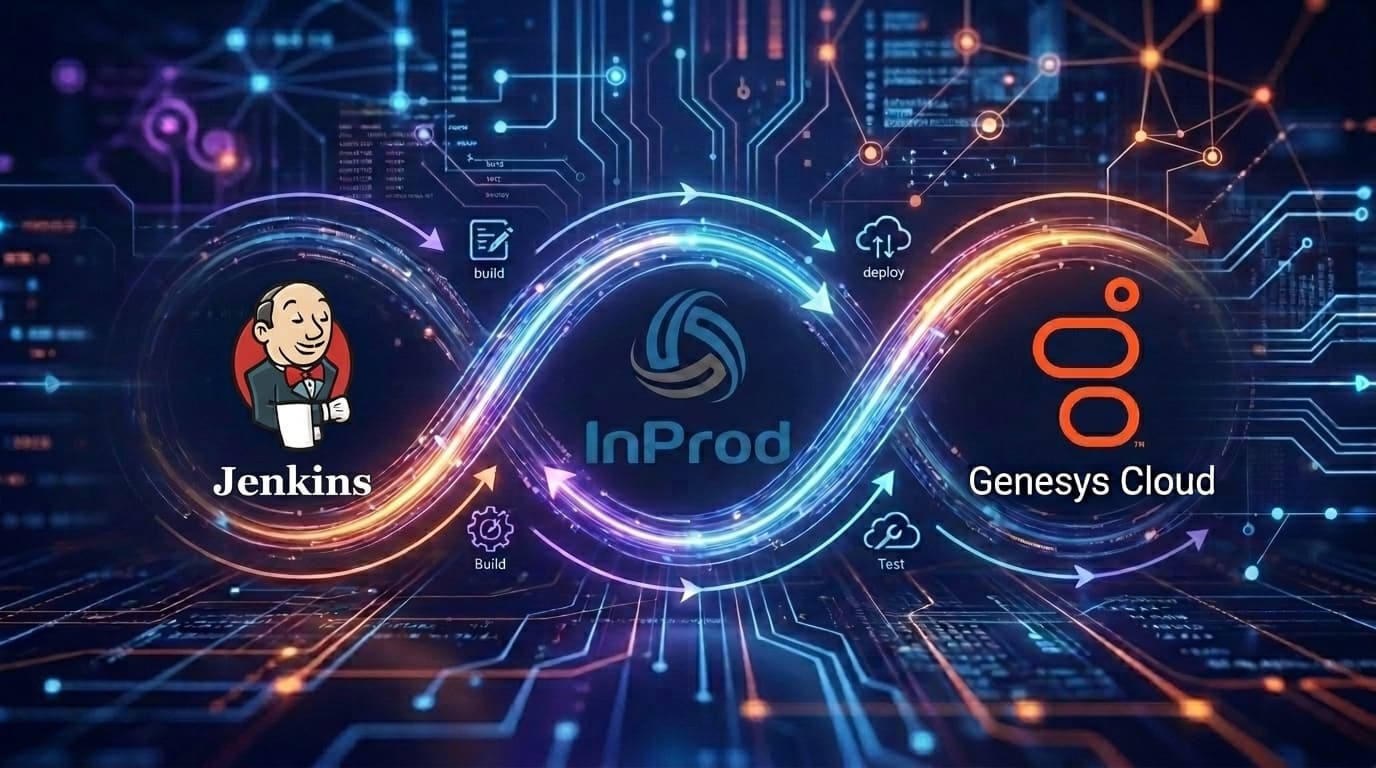
How to Build a Genesys Cloud CI/CD Pipeline with Jenkins
A Genesys Cloud CI/CD pipeline with Jenkins is a controlled Jenkinsfile workflow for validating, approving, and deploying contact center configuration changes through InProd changesets. Jenkins provides the pipeline engine, credential binding, manual input gates, artifacts, and branch automation. InProd provides the Genesys Cloud-specific deployment layer: changeset validation, environment targeting, execution records, configuration audit history, drift visibility, and rollback support.
This is the search pattern most enterprise teams are really trying to solve when they search for Jenkins, Genesys Cloud CI/CD, Genesys Cloud DevOps automation, or infrastructure as code for Genesys Cloud. They do not only need a Jenkins job that can call an API. They need a release process that keeps Development, UAT, and Production controlled when queue, routing, skill, schedule, data action, and flow-adjacent configuration changes are moving fast.
The official InProd Jenkins guide uses the @inprod.io/run-changesets npm package from a Jenkins pipeline. The strongest article and implementation angle is simple: use Jenkins to orchestrate the release, and use InProd to make the Genesys Cloud configuration change safe enough for production.
Genesys Cloud CI/CD Pipeline with Jenkins
Jenkins is a natural fit for teams that already operate internal delivery pipelines, self-hosted agents, controller-managed credentials, and formal release stages. The Jenkins documentation describes Pipeline as a way to model delivery pipelines as code through a Jenkinsfile, with stages, steps, source-control review, audit trail, and optional human approval. Those same controls map well to Genesys Cloud configuration management when the deployment unit is an InProd changeset.
In a mature Jenkins pipeline for Genesys Cloud:
- A changeset file is created or updated in Git.
- A pull request validates the changeset without executing it.
- The Jenkinsfile runs
@inprod.io/run-changesetswithINPROD_VALIDATE_ONLY=true. - After review, the same changeset is promoted to Development.
- Jenkins pauses for UAT and Production approval gates.
- InProd validates the target environment before execution.
- Jenkins archives
inprod-result.jsonandinprod-results.env. - The team can use InProd audit history and rollback if the release needs recovery.
The key phrase is "same changeset." The more a team re-creates the change by hand in each environment, the less value CI/CD provides. Jenkins should move a reviewed artifact through the path. InProd should validate and execute that artifact against the correct Genesys Cloud environment.
What InProd Adds to Jenkins
Jenkins can run shell commands, bind secrets, wait for approvals, and archive output. It does not understand Genesys Cloud configuration by itself. InProd fills that gap.
| Jenkins responsibility | InProd responsibility |
|---|---|
| Run the Jenkinsfile from source control | Package the Genesys Cloud configuration change as a changeset |
| Bind credentials from the Jenkins credential store | Authenticate to the InProd API and target environment |
| Start validation, deployment, approval, and notification stages | Validate dependencies and execute changesets |
| Archive pipeline artifacts | Produce deployment status and detailed changeset results |
| Pause for input before UAT or Production | Preserve audit history and support rollback |
That division keeps Jenkins in the role it is best at: release orchestration. It keeps Genesys Cloud configuration logic in a tool built for Genesys Cloud operations.
Jenkins Prerequisites
The InProd Jenkins integration has two supported execution models.
Use the Jenkins NodeJS plugin when your agents are managed by Jenkins and you want a named Node.js installation available to your Jenkinsfile. The InProd guide recommends configuring a Node.js tool such as NodeJS 18 under Jenkins tools and referencing it with:
tools {
    nodejs 'NodeJS 18'
}
Use a Docker agent when you want the pipeline to run in a clean Node.js container without depending on a controller-managed Node.js installation:
agent {
    docker { image 'node:18-alpine' }
}
Store these values in Jenkins Credentials as Secret text credentials:
| Credential | Purpose |
|---|---|
INPROD_API_KEY |
Authenticates the pipeline to InProd |
INPROD_BASE_URL |
Points the job at the correct InProd instance |
For production, use scoped credentials where possible. A Jenkins job that validates pull requests should not need the same production execution permission as a job that deploys to Production.
Recommended Repository Structure
Keep the Jenkinsfile and changesets easy to inspect:
Jenkinsfile
changesets/
  queues/
    01_support-queue.yaml
    02_support-skills.yaml
  routing/
    01_sales-routing.yaml
  rollback/
    rollback-sales-routing.yaml
docs/
  release-notes/
Prefix files when order matters. A glob such as changesets/*.yaml is only useful when the team can reason about execution order. Keep rollback changesets separate so emergency recovery does not require inventing a new file under pressure.
Minimal Jenkinsfile for InProd Changesets
This is the smallest useful Jenkins pattern for a production deployment:
pipeline {
    agent any

    tools {
        nodejs 'NodeJS 18'
    }

    environment {
        INPROD_API_KEY        = credentials('inprod-api-key')
        INPROD_BASE_URL       = credentials('inprod-base-url')
        INPROD_CHANGESET_FILE = 'changesets/queues.yaml'
        INPROD_ENVIRONMENT    = 'Production'
    }

    stages {
        stage('Deploy InProd Changesets') {
            steps {
                sh 'npx --yes @inprod.io/run-changesets'
            }
        }
    }

    post {
        always {
            archiveArtifacts artifacts: 'inprod-result.json,inprod-results.env', allowEmptyArchive: true
        }
    }
}
This works, but it is not yet the best enterprise pipeline. It deploys, but it does not separate validation, Development, UAT, and Production. Use it as the starting point, not the finished operating model.
Production Jenkins Pipeline Pattern
A stronger Jenkins pipeline adds validation-only mode, environment promotion, and input gates:
pipeline {
    agent any

    tools { nodejs 'NodeJS 18' }

    environment {
        INPROD_API_KEY        = credentials('inprod-api-key')
        INPROD_BASE_URL       = credentials('inprod-base-url')
        INPROD_CHANGESET_FILE = 'changesets/*.yaml'
    }

    stages {
        stage('Validate') {
            steps {
                sh 'INPROD_VALIDATE_ONLY=true npx --yes @inprod.io/run-changesets'
            }
        }

        stage('Deploy to Development') {
            steps {
                sh 'INPROD_ENVIRONMENT=Development INPROD_EXECUTION_STRATEGY=validate_first npx --yes @inprod.io/run-changesets'
            }
        }

        stage('Approve UAT') {
            steps {
                input message: 'Deploy Genesys Cloud changesets to UAT?', ok: 'Deploy'
            }
        }

        stage('Deploy to UAT') {
            steps {
                sh 'INPROD_ENVIRONMENT=UAT INPROD_EXECUTION_STRATEGY=validate_first npx --yes @inprod.io/run-changesets'
            }
        }

        stage('Approve Production') {
            steps {
                input message: 'Deploy Genesys Cloud changesets to Production?', ok: 'Deploy'
            }
        }

        stage('Deploy to Production') {
            steps {
                sh 'INPROD_ENVIRONMENT=Production INPROD_EXECUTION_STRATEGY=validate_first npx --yes @inprod.io/run-changesets'
            }
        }
    }

    post {
        always {
            archiveArtifacts artifacts: 'inprod-result.json,inprod-results.env', allowEmptyArchive: true
        }
    }
}
This is the article's core SEO and operational point: Jenkins should not only deploy Genesys Cloud changes. Jenkins should validate them first, promote them in sequence, and preserve evidence from each stage.
Configuration Variables That Matter
The Jenkins integration is driven by INPROD_* environment variables. These are the ones a team should understand before going live:
| Variable | Why it matters |
|---|---|
INPROD_CHANGESET_FILE |
Sets the file or glob pattern to run, such as changesets/*.yaml |
INPROD_ENVIRONMENT |
Targets Development, UAT, or Production without changing the changeset file |
INPROD_VALIDATE_ONLY |
Lets pull requests and pre-release stages validate without executing |
INPROD_VALIDATE_BEFORE_EXECUTE |
Keeps validation enabled immediately before deployment |
INPROD_EXECUTION_STRATEGY |
Use validate_first when multiple files should all pass before any execute |
INPROD_FAIL_FAST |
Stops a batch on the first failure when that is safer than continuing |
INPROD_CHANGESET_VARIABLES |
Injects runtime values from Jenkins credentials or environment variables |
INPROD_POLLING_TIMEOUT_MINUTES |
Allows larger changesets enough time to complete |
For most production pipelines, keep validation enabled, use validate_first for batches, and set environment names explicitly in the Jenkinsfile or release parameters.
Pull Request Validation
Pull request validation is where Jenkins starts paying for itself. The job should validate changesets before a merge and before any production credential is involved.
pipeline {
    agent any
    tools { nodejs 'NodeJS 18' }

    environment {
        INPROD_API_KEY        = credentials('inprod-api-key')
        INPROD_BASE_URL       = credentials('inprod-base-url')
        INPROD_CHANGESET_FILE = 'changesets/*.yaml'
        INPROD_VALIDATE_ONLY  = 'true'
    }

    stages {
        stage('Validate InProd Changesets') {
            steps {
                sh 'npx --yes @inprod.io/run-changesets'
            }
        }
    }
}
This stage catches missing dependencies, invalid values, and target-environment mismatches early. It also reinforces a better operating habit: a Genesys Cloud configuration change should be reviewed as a release artifact, not discovered after someone clicks through Production.
Artifacts, Audit Trail, and Status
The InProd package writes two useful output files:
| File | Use |
|---|---|
inprod-results.env |
A simple status file with values such as SUCCESS, FAILURE, TIMEOUT, REVOKED, or SUBMITTED |
inprod-result.json |
Detailed per-file deployment results, including environment and run information |
Archive both files in Jenkins. They become the bridge between Jenkins history, InProd execution records, and change control evidence.
For downstream stages, read the status from inprod-results.env and notify the right channel or ticketing system. For compliance or post-incident review, use the JSON artifact alongside InProd's configuration auditing records.
Drift Detection and Rollback
A Jenkins pipeline only protects the changes it runs. Genesys Cloud environments can still drift when emergency fixes, Admin UI edits, or out-of-band automation change configuration outside the pipeline.
That is why the Jenkins article should link this pattern back to Genesys Cloud configuration auditing and Genesys Cloud CI/CD validation and promotion. A production deployment should check whether the target environment still matches the assumptions behind the changeset. If it does not, the release should pause, reconcile, or route to a human review.
Rollback should also be designed before Production. A practical Jenkins model stores rollback changesets in the repository, uses the same InProd execution path, and requires a smaller emergency approval path for recovery.
Production Readiness Checklist
- Store
INPROD_API_KEYandINPROD_BASE_URLas Jenkins Secret text credentials. - Use validate-only mode for pull requests and pre-release checks.
- Promote the same changeset files through Development, UAT, and Production.
- Require Jenkins input gates before UAT and Production.
- Use
validate_firstfor batches with dependency ordering. - Archive
inprod-result.jsonandinprod-results.envon every run. - Keep rollback changesets ready for high-risk deployments.
- Reconcile emergency Admin UI changes back into Git or InProd.
- Link the release record to the ticket, approver, and business reason.
FAQ
Can Jenkins deploy Genesys Cloud configuration changes?
Yes. Jenkins can run @inprod.io/run-changesets from a Jenkinsfile to validate and execute InProd changesets against Genesys Cloud environments.
What is the primary keyword for this article?
The target search phrase is Genesys Cloud CI/CD pipeline with Jenkins, supported by Genesys Cloud Jenkins, Jenkins InProd changesets, Genesys Cloud DevOps automation, and Genesys Cloud configuration as code.
Should Jenkins run validation before deployment?
Yes. Keep INPROD_VALIDATE_BEFORE_EXECUTE enabled and use INPROD_VALIDATE_ONLY=true for pull requests or pre-deployment stages.
Can Jenkins promote the same changeset from Dev to UAT to Production?
Yes. Use the same INPROD_CHANGESET_FILE and change INPROD_ENVIRONMENT for each stage.
Does this replace CX as Code or Terraform?
No. InProd changesets and Jenkins can sit alongside Genesys Cloud CX as Code or Terraform workflows. The goal is governed deployment, validation, audit, and rollback.
Related Resources
Read the InProd Jenkins integration guide, the Jenkins Pipeline documentation, InProd's Jenkins integration overview, and the InProd guides to Genesys Cloud CI/CD with CX as Code and Terraform and Genesys Cloud DevOps automation. When your team is ready to review the release model, book a call to map Jenkins, InProd, and Genesys Cloud into a governed deployment path.

Jarrod Neven
Contact Center Expert, Director at InProd Solutions
Jarrod has been working in the enterprise CX space since 2001. Before starting InProd, he spent several years as a CTI Solutions Architect at Genesys itself, working across the APAC region with enterprise and government customers, which gives him a different perspective on how their platforms actually work under the hood. He's been Director at InProd Solutions since 2016, helping organizations cut through the complexity of Genesys Engage deployments.