
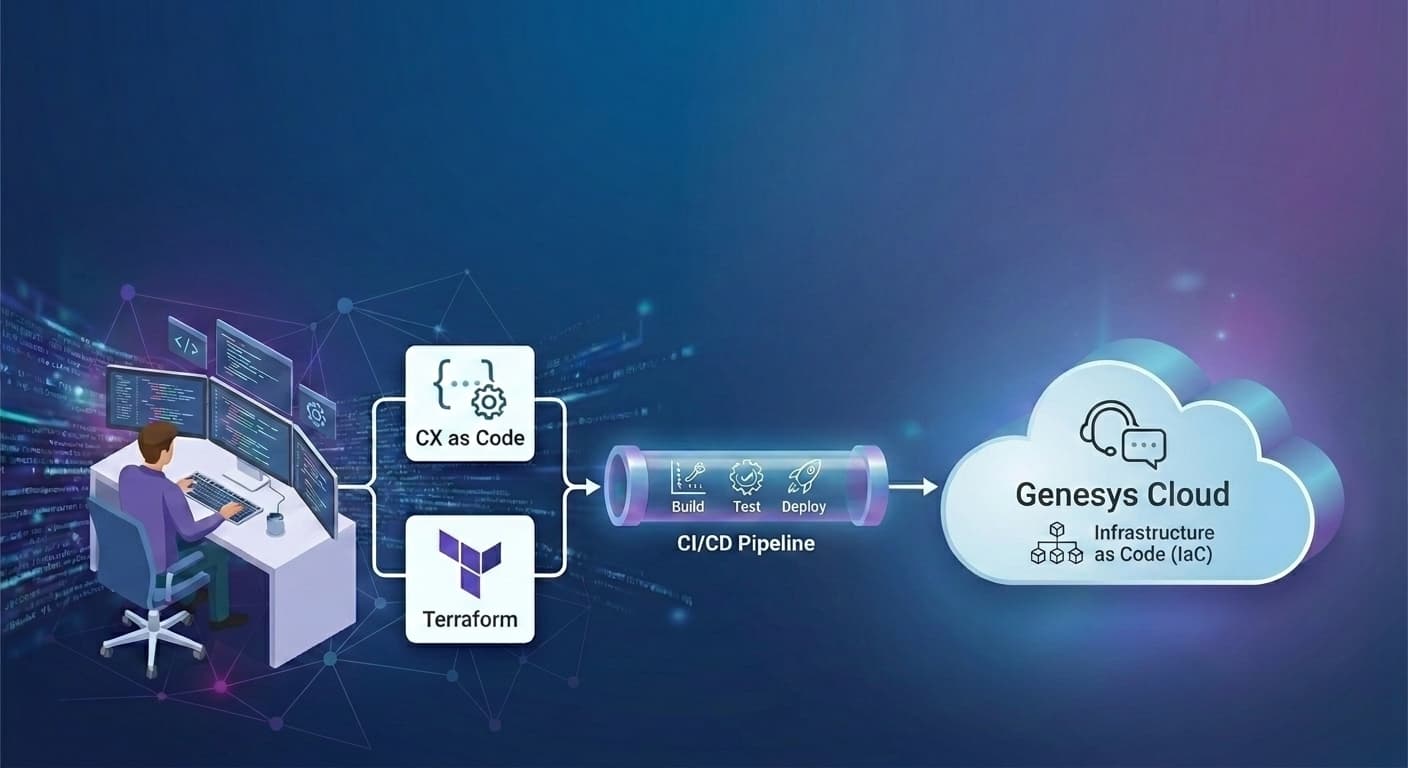
Genesys Cloud CI/CD: CX as Code, Terraform and IaC
A Genesys Cloud CI/CD pipeline is a controlled workflow for moving contact center configuration changes from development through UAT and production using source control, validation, approvals, and automated deployment. Genesys CX as Code provides Terraform-based configuration definitions for Genesys Cloud resources. A production-grade pipeline also needs drift detection, environment-specific mapping, audit history, rollback, and change governance. That is where InProd fits: it adds the operating model around configuration-as-code so teams can move faster without turning production into the test environment.
Genesys Cloud already gives engineering teams important building blocks. On its development capabilities page, Genesys describes CX as Code as a way to define configuration objects such as queues, skills, and users in plain text files and apply configurations between environments. Genesys also states that CX as Code is built on HashiCorp Terraform and uses a Terraform plugin to manage Genesys Cloud infrastructure through the public API. The official Genesys Resource Center CX accelerator overview describes CX as Code as a declarative way to manage Genesys Cloud resources and configuration across one or more organizations using Terraform.
Those are valuable foundations. But they are not the full pipeline. That is the gap InProd is built to close for teams evaluating CI/CD pipelines for Genesys Cloud: not just whether a script can apply a change, but whether the release path can be trusted.
The real enterprise question is not "Can Genesys Cloud be automated?" It can. The real question is: can your organization safely promote high-impact configuration changes through multiple environments, prove what changed, detect drift before deployment, recover quickly when something goes wrong, and keep manual Admin UI changes from quietly invalidating your source of truth?
This guide focuses on the practical intersection of Genesys Cloud CI/CD, Genesys Cloud infrastructure as code, Genesys Cloud Terraform, Genesys Cloud CX as Code, and the governance layer needed to make those concepts work in production.
| Layer | What it does | What it does not solve by itself |
|---|---|---|
| Genesys Cloud CX as Code | Defines supported Genesys Cloud configuration as Terraform-managed text files | Full promotion governance, drift detection, rollback, and Admin UI change capture |
| Terraform provider | Executes create, read, update, and delete operations against the Genesys Cloud public API | Business approval, production evidence, environment comparison, and release ownership |
| Git and CI/CD runner | Stores, reviews, and orchestrates deployment artifacts | Contact-center-specific validation, dependency awareness, and recovery workflow |
| InProd | Adds changesets, simulation, auditing, drift visibility, environment-aware deployment, and rollback | It does not replace Terraform where Terraform is the right resource-definition layer |
What Is a Genesys Cloud CI/CD Pipeline?
A Genesys Cloud CI/CD pipeline is a repeatable release process for contact center configuration. Some teams write the same idea as Genesys Cloud CI CD or Genesys Cloud CICD; the operating model is the same. Instead of treating routing, queues, skills, data actions, schedules, and flow-related objects as manual admin work, the pipeline treats configuration changes as release artifacts.
In a mature workflow, a change does not begin in production. It begins as a reviewed change in Git or as a structured changeset. It is validated in a lower environment, promoted to UAT, approved by the right owner, deployed to production, audited, and monitored after release.
The practical goal is simple:
- The same change that was tested in UAT is the change that reaches production.
- Every deployment has an owner, a reason, a timestamp, and an artifact.
- Failed changes can be rolled back without reconstructing the previous state from memory.
- Emergency production fixes are reconciled back into source control or the authoritative configuration record.
- Development, UAT, and production remain intentionally different, not accidentally different.
For Genesys Cloud teams, this matters because contact center configuration is operationally sensitive. A queue setting, flow dependency, skill mapping, schedule update, data action, or routing policy can change where customers go, how long they wait, which agents receive work, and whether service levels hold during peak demand.
In application engineering, CI/CD protects the path from code change to production release. In Genesys Cloud, CI/CD protects the path from configuration change to customer-impacting behavior.
What Is CX as Code in Genesys Cloud?
Genesys Cloud CX as Code is Genesys' Terraform-based configuration-as-code capability. It lets teams define supported Genesys Cloud resources in text files, manage those definitions through Terraform workflows, and apply configuration to one or more Genesys Cloud organizations. For many teams, this is the native Genesys Cloud configuration as code path, and it sits naturally alongside broader Genesys configuration as code practices.
In practical terms, CX as Code gives teams a way to move from "click the Admin UI until the environment is correct" to "define the desired configuration and apply it consistently."
That makes it especially useful for:
- New Genesys Cloud implementations where configuration can be designed as code from the start.
- Repeatable deployment of supported resource types across development, test, and production organizations.
- Reference architectures and accelerators that need to install known-good configuration into an organization.
- Engineering teams that already use Terraform, Git, pull requests, and CI/CD runners.
Genesys' own materials position CX as Code as part of the CI/CD and development story for Genesys Cloud. Their public development capability page says CX as Code helps define configuration objects in plain text and apply them between environments, and that it is built on HashiCorp Terraform. The Genesys Resource Center describes CX as Code as declarative resource and configuration management using Terraform.
That is the right foundation. It also means CX as Code inherits Terraform's strengths and Terraform's operating responsibilities.
How CX as Code Uses Terraform and the Genesys Cloud Terraform Provider
The Genesys Cloud Terraform provider is the mechanism Terraform uses to manage Genesys Cloud resources. The provider is installed through Terraform, commonly referenced from the Terraform Registry as mypurecloud/genesyscloud, configured with Genesys Cloud credentials, and used to call the Genesys Cloud public API for create, read, update, and delete operations.
A simplified workflow looks like this:
- A developer or administrator changes a Terraform or CX as Code file.
- The change is committed to Git.
- A CI job runs formatting, validation, policy checks, and a Terraform plan.
- The plan is reviewed in a pull request or merge request.
- After approval, the pipeline applies the change to a non-production Genesys Cloud organization.
- Tests and user acceptance checks run against that environment.
- The same artifact is promoted to production with controlled credentials, approval, logging, and rollback preparation.
Terraform is excellent at comparing desired state to managed state and applying the API operations needed to close the gap. But it requires disciplined state management, credential handling, provider permissions, environment isolation, and import strategy.
The official Genesys Cloud Terraform provider repository notes that the provider uses Genesys Cloud public API calls and that those calls require appropriate OAuth scopes and permissions. That is not a footnote. In a production pipeline, OAuth client design, least-privilege access, state file protection, and environment-specific credentials are core security controls.
The Reference Architecture: Git to Dev, UAT, and Production
A production-grade Genesys Cloud CI/CD pipeline should be designed around promotion, not one-off execution.
The reference flow is:
- Plan the change.
- Define the change as code or as a changeset.
- Commit it to Git.
- Open a pull request or merge request.
- Run static validation.
- Run dependency and policy checks.
- Simulate or plan against the target development environment.
- Deploy to development.
- Test the resulting contact center behavior.
- Promote the same artifact to UAT.
- Run UAT validation and capture approval.
- Detect drift before production deployment.
- Simulate or plan the production change.
- Deploy to production during the approved release window.
- Record the deployment result, audit trail, and rollback state.
- Reconcile any emergency or manual changes back into the source of truth.
That flow can be orchestrated by GitHub Actions, GitLab CI, Azure DevOps, Jenkins, Bitbucket Pipelines, CircleCI, or another enterprise runner. The important point is that the runner is only the orchestration layer. The safety comes from the controls around the deployment artifact.
For Genesys Cloud, the critical controls are:
- Separate credentials for Dev, UAT, and Production.
- Separate Terraform state or configuration state per environment.
- A clear object ownership model.
- A reliable mapping strategy for environment-specific IDs, names, regions, queues, users, and integrations.
- Pre-deployment validation before every production change.
- Drift detection before deployment.
- Approval gates for high-risk changes.
- Immutable deployment records.
- Defined rollback before deployment.
A pipeline without those controls is automation, but it is not production-grade DevOps.
What CX as Code Handles Well
CX as Code and Terraform are strongest when the team wants to define a known desired state and apply that state consistently.
They are especially good for:
- Defining supported Genesys Cloud configuration as text.
- Reviewing configuration changes through Git.
- Applying the same baseline to multiple organizations.
- Integrating Genesys Cloud configuration into a wider infrastructure-as-code workflow.
- Using Terraform Cloud or another Terraform runner for state, locking, and controlled execution.
- Reusing standard DevOps practices that engineering teams already understand.
For new environments, CX as Code can be a strong way to avoid configuration drift from the start. If the team begins with code, deploys through the pipeline, and limits direct UI changes, the source of truth remains clean.
CX as Code is also valuable because it speaks a language that enterprise platform teams already know. Terraform is a familiar operating model. Git is a familiar review system. CI/CD runners are familiar deployment infrastructure. That matters because contact center operations often need to work more closely with central platform engineering, security, and compliance teams.
Where Terraform and CX as Code Need Operational Guardrails
The difficult part is not writing the first configuration file. The difficult part is operating the system safely over time.
Enterprise Genesys Cloud environments have realities that a raw Terraform workflow does not automatically solve.
Existing Organizations Are Not Blank Slates
Many Genesys Cloud organizations already have years of configuration created through the Admin UI, API scripts, implementation projects, and urgent production changes. The Genesys CX as Code FAQ notes that exports from one org can be applied to another, but Terraform's initial apply behavior can attempt to create resources rather than update existing ones. That makes existing-org adoption a design problem, not a copy-and-paste exercise.
For existing environments, the team needs a baseline strategy:
- Which objects are already managed by code?
- Which objects are imported into Terraform state?
- Which objects remain manually managed for now?
- Which production settings are intentionally different from UAT?
- How are UI changes captured and reconciled?
Without that strategy, the first "infrastructure as code" project can create more risk than it removes.
Terraform State Becomes Critical Infrastructure
Terraform state is not just a cache. It is the record Terraform uses to understand what it manages. If state is lost, corrupted, shared incorrectly, or pointed at the wrong Genesys Cloud organization, the pipeline can produce unexpected behavior.
Each environment should have isolated state, controlled access, locking, and a recovery process. Production state should be treated like production infrastructure, not like a build artifact sitting on a developer machine.
Environment-Specific Differences Are Inevitable
Development, UAT, and production rarely have the same scale or exact object graph. Production may have more queues, more locations, more agents, more skills, more languages, more divisions, more integrations, and more routing complexity.
Some differences are intentional:
- Production has real telephony integrations.
- UAT has test numbers or mock integrations.
- Development has smaller user and queue counts.
- Production thresholds are tuned for live demand.
- Compliance settings vary by region.
A good Genesys Cloud CI/CD pipeline must understand those differences. It should not rely on hardcoded object IDs or brittle assumptions that happen to work in a small test org.
Audit Trail Is Not the Same as Source Control
The CX as Code FAQ states that the plugin itself does not create the audit trail and that audit must come from the user's process, most likely source control of Terraform files. That is useful, but source control alone does not answer every operational question.
Git can tell you who changed a file. It may not tell you:
- Which environment received the change.
- Whether the deployment succeeded.
- Which live objects were modified.
- What the pre-change values were.
- Whether someone changed the same object manually afterward.
- Whether the change was approved by the business owner.
- What rollback action was prepared.
For enterprise change governance, the deployment record matters as much as the Git commit.
Raw Environment Comparison Can Be Misleading
The Genesys CX as Code FAQ also notes that raw export comparison between orgs can be unreliable because resource order and naming can differ. That is an important warning for teams that think "we will just export both orgs and diff the files" is enough for drift detection.
Real drift detection needs to understand objects, relationships, environment mappings, and intentional exceptions. Otherwise the team either misses real drift or drowns in false positives.
Rate Limits and Retries Need Production Design
The Genesys community FAQ says the provider can run into public API rate limiting with large numbers of updates, though it retries with backoff. For small changes, this may not matter. For large enterprise deployments, it becomes part of release design.
Teams should plan:
- How many objects a deployment can safely touch.
- Whether large changes should be batched.
- What retry behavior is acceptable during a release window.
- How failed partial deployments are detected and recovered.
- How pipeline logs are preserved for incident review.
Known Limitations of CX as Code to Plan Around
CX as Code is a strong foundation, but it should be adopted with eyes open. The limitations are manageable when they are designed into the pipeline.
| Limitation | Why it matters | Pipeline response |
|---|---|---|
| Existing-org adoption can be tricky | Terraform initial apply can conflict with resources that already exist | Baseline, import, and map resources deliberately before production use |
| The plugin is not a complete audit system | Source control shows file history, not every live deployment outcome | Keep deployment records and configuration audit history |
| Raw export comparison can mislead | Different orgs can export resources in different order or naming | Use object-aware drift detection, not plain text diff alone |
| Terraform state is critical | Wrong state or workspace can affect the wrong org | Isolate state per environment and protect production credentials |
| Large updates can hit API limits | Release windows can be affected by retries and partial failures | Batch high-volume changes and retain detailed execution logs |
| Not every operational concern is a resource definition | Approval, rollback, emergency changes, and business validation are process concerns | Add governance, simulation, and reconciliation around the IaC layer |
Common Problems in a Genesys Cloud CI/CD Pipeline
Teams working on Genesys Cloud CI/CD, Genesys Cloud Terraform, and CX as Code Terraform are usually not asking abstract DevOps questions. They are trying to solve concrete implementation problems.
These are the same problems that show up when teams start automating Genesys Cloud configuration changes without a complete promotion and governance model.
Export
Exporting configuration is useful for baselining, review, and migration. The challenge is deciding what the export means operationally.
An export is not automatically a governed source of truth. It needs ownership, review, normalization, environment mapping, and a process for keeping it current. If a production admin changes a queue after the export, the source of truth is stale unless the change is captured.
The important point is this: export is a starting point, not the whole configuration management system.
Import
Importing existing resources into Terraform or applying exported configuration to another org requires care. If Terraform believes it is creating a resource that already exists, deployment can fail. If objects have different identifiers or dependencies across orgs, a naive import can break.
A safer approach is to phase adoption:
- Start with low-risk object types.
- Establish a baseline for each environment.
- Import or map existing objects deliberately.
- Validate the plan before applying.
- Expand coverage after the team proves the workflow.
State
Terraform state is the difference between "Terraform knows this object" and "Terraform sees this object as unmanaged." For Genesys Cloud, state must be separated by environment and protected from accidental cross-use.
The danger pattern is using the wrong credentials, wrong region, wrong workspace, or wrong state file and applying a change to the wrong organization. Production-grade pipelines reduce that risk with locked environment variables, scoped OAuth clients, protected branches, manual approvals, and clear environment naming.
Drift
Genesys Cloud drift happens when the actual configuration in an environment differs from the intended or recorded configuration.
Drift can happen because:
- An admin makes an urgent UI fix in production.
- A deployment partially succeeds.
- UAT is not updated after a production hotfix.
- A script changes configuration outside the pipeline.
- A team updates one environment manually and forgets the others.
- A vendor or integration changes a dependent object.
Drift is dangerous because it breaks the promise that UAT predicts production. If UAT and production are different in unknown ways, passing UAT does not prove much.
Rollback
Rollback is often treated as "we will undo it if needed." That is not enough.
A real rollback plan defines:
- Which objects will be restored.
- Which values will be restored.
- Whether dependent objects must be changed in reverse order.
- Whether customer interactions in progress are affected.
- Who can approve rollback.
- How rollback success will be verified.
Terraform can support rollback if the team has disciplined state, previous versions, and a tested process. InProd strengthens this by keeping deployment-level change records and making rollback a planned part of the changeset workflow rather than an improvised incident response task.
Native CX as Code vs Enterprise Genesys Cloud DevOps
CX as Code and Terraform are not competitors to InProd. They are valuable building blocks. The distinction is between a deployment mechanism and an enterprise operating model. See the full Genesys Cloud CX as Code governance breakdown for how InProd extends this specific workflow.
| Capability | CX as Code / Terraform | Production-grade pipeline with InProd |
|---|---|---|
| Define Genesys Cloud configuration as code | Yes, for supported resources | Yes, with changesets and governed workflow |
| Store change definitions in Git | Possible through standard Git workflows | Built into the operating process around changesets and pipeline promotion |
| Promote across Dev, UAT, and Prod | Possible, but the team designs sequencing and controls | Managed workflow with validation, approval, and deployment records |
| Manage environment-specific differences | Possible with variables, modules, workspaces, and discipline | Explicit mapping and environment-aware deployment logic |
| Detect Genesys Cloud drift | Limited; requires additional comparison and process | Core operating concern through configuration auditing and change visibility |
| Validate before production | Terraform plan helps for managed resources | Simulate Run shows target-environment impact before execution |
| Capture Admin UI changes | Not automatic | Captured through configuration auditing and reconciliation workflows |
| Audit who changed what and why | Depends on Git, platform logs, and team process | Deployment-level audit trail tied to changesets and environments |
| Roll back a failed change | Requires state/history discipline | Structured rollback and recovery workflow |
| Scale across objects that differ by environment | Requires careful module and variable design | Iterator and Evaluator patterns adapt logic to the target environment |
| Support compliance reporting | Requires assembling evidence from multiple systems | Change records and configuration history support audit and review |
The strategic position is straightforward:
- Use CX as Code and Terraform where they are the right way to define and apply Genesys Cloud configuration.
- Use InProd to make the deployment lifecycle governed, observable, auditable, and recoverable.
- Do not rely on manual process to provide the controls that the pipeline itself should enforce.
How InProd Extends a Genesys Cloud CI/CD Pipeline
InProd adds the production-readiness layer around Genesys Cloud configuration change. It is not a Terraform replacement. It is the control plane for moving contact center configuration through real enterprise environments.
Changesets
An InProd Changeset is a portable deployment unit. It groups related configuration actions so they can be reviewed, tested, promoted, audited, and reused.
That matters because a real change rarely touches one object. A routing update may require queue changes, skills, schedules, data actions, and dependent references. A changeset lets the team reason about the release as one unit rather than a loose collection of manual steps.
In a CI/CD pipeline, the changeset becomes the artifact. The pipeline promotes the artifact, not a vague instruction like "make production match UAT."
Simulate Run
Simulate Run is pre-deployment validation. It executes the changeset logic against the target environment without making the change, then shows what would be created, updated, or deleted.
For Genesys Cloud teams, this is a major safety control because it validates against the actual target environment. If production has drifted, if an expected object is missing, or if an environment-specific mapping is wrong, the team can detect that before modifying production.
Terraform plan is useful for Terraform-managed resources. Simulate Run is the broader operational pattern: inspect the live deployment impact before execution and make that inspection part of the release gate.
Configuration Auditing
InProd configuration auditing helps answer the questions that matter after a deployment or incident:
- What changed?
- Who changed it?
- When did it change?
- Why was it changed?
- Which environment changed?
- What was the previous value?
- Was the change made by the pipeline, the Admin UI, or another process?
This is where Genesys Cloud configuration auditing becomes part of the CI/CD architecture. The deployment pipeline should create the change, and the audit layer should prove what happened after the change reached each environment.
It also connects to the broader Genesys configuration change problem: teams do not only need to deploy planned releases, they need to understand every configuration change that touches production, including the changes made outside the pipeline.
For teams with a Genesys configuration auditing requirement, that evidence is not optional. It is how operations, compliance, and platform owners agree on what production actually contains.
Drift Detection and Change Sync
Drift detection is not a nice-to-have in Genesys Cloud DevOps. It is what protects the credibility of the pipeline.
If production has changed outside the pipeline, the next deployment may be based on an outdated assumption. InProd's Change Sync and auditing capabilities help teams identify and reconcile those differences so lower environments remain useful and production changes do not disappear into tribal knowledge.
The goal is not to ban every emergency UI change. In real contact centers, emergency changes happen. The goal is to make sure they are visible, reviewed, and reconciled after the incident.
Environment-Aware Automation With Iterator and Evaluator
One of the most useful ideas from InProd's changeset model is environment-aware automation.
An Iterator handles horizontal scale. It can apply an action to every object that matches a query. For example, a change can target every queue with a specific tag. If development has five matching queues and production has fifty, the same changeset adapts to the target environment.
An Evaluator handles vertical complexity. It computes values dynamically at runtime rather than hardcoding them. For example, instead of setting every queue's threshold to the same absolute value, an evaluator can calculate a new value from the queue's current setting or tier.
Together, Iterator and Evaluator reduce the need for separate DEV, UAT, and PROD packages. The automation becomes portable because it is based on live target-environment context rather than assumptions copied from development.
For a deeper treatment of this pattern, see scaling differences across Genesys environments.
Rollback and Recovery
Rollback should be designed before production deployment. InProd supports this by tying deployments to change records and recovery workflows.
For enterprise teams, the value is not just speed. It is confidence. A team that knows exactly what changed and how to restore it can approve smaller, more frequent changes. A team that cannot roll back tends to batch changes into large release windows, which increases risk.
CI/CD Provider Integration
InProd can fit into the CI/CD tools enterprises already use.
Typical patterns include:
- GitHub Actions for pull-request validation and controlled deployment.
- GitLab CI for merge request validation, environment gates, artifacts, and approval flows.
- Azure DevOps for enterprise release pipelines and secure variable mapping.
- Jenkins for teams with established build infrastructure.
- Bitbucket Pipelines or CircleCI for teams already standardizing on those runners.
- Ansible or Puppet when contact center configuration deployment needs to be part of a wider infrastructure automation playbook.
The CI/CD platform does not need to be the source of all intelligence. It should orchestrate the workflow, protect credentials, enforce approvals, preserve artifacts, and call the right deployment mechanism.
For a broader comparison of tooling patterns, see DevOps automation for Genesys Cloud.
Example GitLab CI Workflow for Genesys Cloud Configuration
For teams using GitLab, the pipeline should be designed around merge requests, protected environments, and deployment evidence.
A production-ready GitLab flow usually includes these stages:
| Stage | Purpose | Typical gate |
|---|---|---|
| Validate | Check syntax, required metadata, object references, and policy rules | Runs on every merge request |
| Plan or simulate Dev | Show what would change in the development org | Must pass before Dev deployment |
| Deploy Dev | Apply the change to development | Automatic after validation |
| Test Dev | Run smoke tests, platform tests, or business checks | Must pass before UAT |
| Simulate UAT | Confirm the artifact still applies cleanly | Manual or automatic gate |
| Deploy UAT | Promote the same artifact to UAT | Requires environment approval |
| UAT approval | Capture business or operations sign-off | Manual approval |
| Drift check Prod | Confirm production has not diverged unexpectedly | Must pass before production |
| Simulate Prod | Show production impact without changing production | Required production release evidence |
| Deploy Prod | Apply the approved artifact | Protected environment approval |
| Record | Store logs, deployment result, and rollback evidence | Always retained |
The key design principle is artifact integrity. The artifact promoted to production should be the same reviewed artifact that passed UAT. The team can apply environment-specific mapping at deploy time, but the release intent should not be rewritten by hand between environments.
Production Readiness Checklist
Use this checklist before calling a Genesys Cloud CI/CD pipeline production-ready.
- Dev, UAT, and Production use separate credentials.
- Production credentials are scoped, protected, and unavailable to untrusted branches.
- Terraform state or deployment state is isolated per environment.
- State storage has locking, access control, backup, and recovery.
- Every change has an owner, reason, and linked work item.
- Configuration definitions or changesets are stored in source control.
- Pull requests or merge requests are required for high-risk changes.
- Supported CX as Code resources are clearly documented.
- Non-supported or manually managed resources are clearly documented.
- Environment-specific values are mapped explicitly.
- Object IDs are not hardcoded unless there is a deliberate reason.
- Dependency validation runs before deployment.
- A plan or simulation is required before production.
- Production drift is checked before deployment.
- UI changes are audited and reconciled back into the source of truth.
- Rollback is defined before deployment.
- Deployment logs and artifacts are retained.
- Release notes or change records are generated from the deployment artifact.
- Large changes account for API rate limits and retry behavior.
- Emergency change workflow is documented and still creates an audit trail.
- Business validation is included for routing, flow, and queue behavior.
If any of those controls are missing, the pipeline may still be useful. But it is not yet the process you want protecting a mission-critical contact center.
Implementation Roadmap
Teams do not need to solve every object type on day one. The safest implementation path is incremental.
Phase 1: Inventory and Baseline
Start by understanding the current configuration estate.
- Identify which Genesys Cloud organizations exist.
- List the highest-risk configuration areas.
- Identify what is already managed by code.
- Identify what is managed through the Admin UI.
- Document known differences between Dev, UAT, and Production.
- Capture a baseline for production.
Do not begin by automating everything. Begin by knowing what exists.
Phase 2: Choose the First Change Domain
Pick a domain with meaningful value and manageable blast radius.
Good candidates include:
- Queue configuration changes.
- Skill and routing updates.
- Data action configuration.
- Schedule or business-hours changes.
- Repeatable deployment of known configuration templates.
Avoid starting with the most complex, most interconnected flow estate unless the team already has strong process maturity.
Phase 3: Build the Promotion Path
Define how a change moves from idea to production.
At minimum, decide:
- Who creates the change?
- Who reviews it?
- Which tests run in development?
- Who approves UAT?
- Who approves production?
- What evidence is required before deployment?
- What rollback evidence is required?
This is where Genesys Cloud DevOps automation becomes more than a technical exercise. It becomes a shared operating model between contact center operations, platform engineering, and business owners.
Phase 4: Add Drift Detection
Once the pipeline exists, protect it from reality.
Reality includes emergency changes, late-night fixes, administrator edits, vendor support changes, and configuration experiments that never make it back into Git.
Add drift detection early so the team can see where the pipeline's source of truth differs from the live environment. Then define what happens next:
- Is the production change accepted and synced back?
- Is it reverted?
- Is it documented as an intentional difference?
- Is the pipeline updated to own it going forward?
Phase 5: Expand Coverage
After the first change domain is stable, expand to more configuration types.
The expansion should be based on risk and frequency:
- Frequent, repetitive changes are good automation candidates.
- High-risk changes are good governance candidates.
- Low-risk, rare changes can wait.
- Unsupported objects should remain documented until a reliable management path exists.
The result is a practical Genesys Cloud infrastructure-as-code program, not a rushed rewrite of the entire contact center.
Frequently Asked Questions
Does Genesys Cloud support CI/CD?
Yes. Genesys Cloud supports CI/CD through its public APIs, developer tooling, CX as Code, and Terraform-based workflows. Genesys also provides CI/CD-oriented blueprint content showing how GitHub Actions, Terraform Cloud, and CX as Code can deploy Genesys Cloud objects across multiple organizations. For enterprise teams, the remaining work is to add promotion gates, validation, drift detection, audit history, and rollback.
What is CX as Code in Genesys Cloud?
CX as Code is Genesys' Terraform-based capability for managing Genesys Cloud resources and configuration declaratively. It lets teams define supported configuration in text files and apply that configuration across one or more Genesys Cloud organizations.
Is CX as Code the same as Terraform?
No. CX as Code is the Genesys Cloud configuration-as-code capability built around Terraform. Terraform is the underlying infrastructure-as-code engine and workflow. The Genesys Cloud Terraform provider is the plugin that lets Terraform interact with Genesys Cloud resources through the Genesys Cloud public API.
What does CX as Code Terraform mean?
CX as Code Terraform usually refers to the Genesys Cloud workflow where CX as Code definitions are managed through Terraform files, Terraform state, and the Genesys Cloud Terraform provider. Searchers using this phrase are typically trying to understand how Genesys Cloud configuration moves from text files into a deployed organization.
What is the Genesys Cloud Terraform provider?
The Genesys Cloud Terraform provider is the Terraform plugin that exposes Genesys Cloud resources to Terraform. It lets Terraform manage supported Genesys Cloud objects through public API calls, using configured OAuth credentials, region settings, provider permissions, and Terraform state.
Can Genesys Cloud configuration be managed as infrastructure as code?
Yes. Genesys Cloud configuration can be managed as infrastructure as code using CX as Code, Terraform, Git, and CI/CD pipelines. A Genesys Cloud infrastructure as code approach works best when it includes source control, environment promotion, protected credentials, drift detection, and rollback. The practical challenge is not whether code-based management is possible. The challenge is operating it safely across existing organizations, multiple environments, manual UI changes, Terraform state, credentials, and production rollback.
How do you promote Genesys Cloud changes from Dev to Production?
The safest approach is to promote a reviewed artifact through Dev, UAT, and Production. The artifact should be validated in each target environment, checked for dependency issues and drift, approved by the right owner, deployed with protected credentials, logged, and paired with a rollback plan. InProd supports this pattern through changesets, Simulate Run, configuration auditing, and environment-aware deployment workflows.
Can you run a Genesys Cloud CI/CD pipeline in GitLab CI?
Yes. GitLab CI can orchestrate a Genesys Cloud CI/CD pipeline by running validation on merge requests, deploying to protected environments, requiring manual approvals, preserving artifacts, and separating credentials for Dev, UAT, and Production. The important design choice is to promote the same reviewed artifact through each stage rather than editing the release manually between environments.
Can CX as Code export an existing Genesys Cloud org?
CX as Code can work with exported configuration, but existing-org adoption requires care. Genesys community guidance notes that Terraform initial apply behavior can attempt to create resources, which can fail when matching resources already exist. For existing organizations, teams should define a baseline, import or map resources deliberately, and phase adoption rather than assuming an export can automatically become the full source of truth.
What are the limitations of CX as Code?
CX as Code is a valuable configuration-as-code foundation, but it is not a complete enterprise governance system by itself. Common limitations include existing-org import complexity, Terraform state management, no built-in plugin audit trail, unreliable raw text comparison between exports, rate-limit considerations for large updates, and the need for the customer to run Terraform through their own infrastructure or hosted Terraform environment.
Do you still need InProd if you use CX as Code?
Many enterprise teams do. CX as Code helps define and apply supported Genesys Cloud configuration. InProd adds governance around the lifecycle: changesets, validation, promotion, drift detection, configuration auditing, UI change visibility, rollback, and deployment evidence. The best framing is not InProd versus CX as Code. It is CX as Code plus InProd for production-grade Genesys Cloud DevOps.
How does InProd help with drift detection and rollback?
InProd helps teams see what changed across Genesys Cloud environments, identify configuration drift, preserve deployment records, and recover from bad changes with a structured rollback workflow. This is especially important when production changes happen through both automated pipelines and the Admin UI.
What should be the first Genesys Cloud CI/CD use case?
Start with a change type that is frequent enough to matter but contained enough to manage. Queue configuration, skills, schedules, data actions, and repeatable deployment templates are often better first candidates than the most complex routing estate. Once the team proves validation, promotion, audit, and rollback, expand the pipeline to higher-risk domains.
Related Resources
- Genesys Cloud DevOps automation
- Genesys Cloud configuration auditing
- Automating Genesys Cloud configuration changes
- DevOps automation for Genesys Cloud
- Scaling differences across Genesys environments
- Genesys configuration as code
- Genesys development capabilities
- Genesys CX as Code overview
- Genesys Cloud CI/CD GitHub blueprint
- Genesys Cloud Terraform provider
- Genesys Cloud provider in the Terraform Registry
- Genesys CX as Code FAQs
Build the Pipeline Before the Next Emergency Change
Genesys Cloud CI/CD is not just a developer convenience. It is an operating model for protecting the customer experience while the contact center changes.
CX as Code and Terraform give Genesys Cloud teams a real infrastructure-as-code foundation. InProd turns that foundation into a governed deployment process: one where changes are reviewed, validated, promoted, audited, reconciled, and recoverable.
If your team is already using CX as Code, Terraform, GitLab, GitHub Actions, Azure DevOps, Jenkins, or manual Admin UI promotion, the next step is to make the release path safer and more visible.

Jarrod Neven
Contact Center Expert, Director at InProd Solutions
Jarrod has been working in the enterprise CX space since 2001. Before starting InProd, he spent several years as a CTI Solutions Architect at Genesys itself, working across the APAC region with enterprise and government customers, which gives him a different perspective on how their platforms actually work under the hood. He's been Director at InProd Solutions since 2016, helping organizations cut through the complexity of Genesys Engage deployments.