
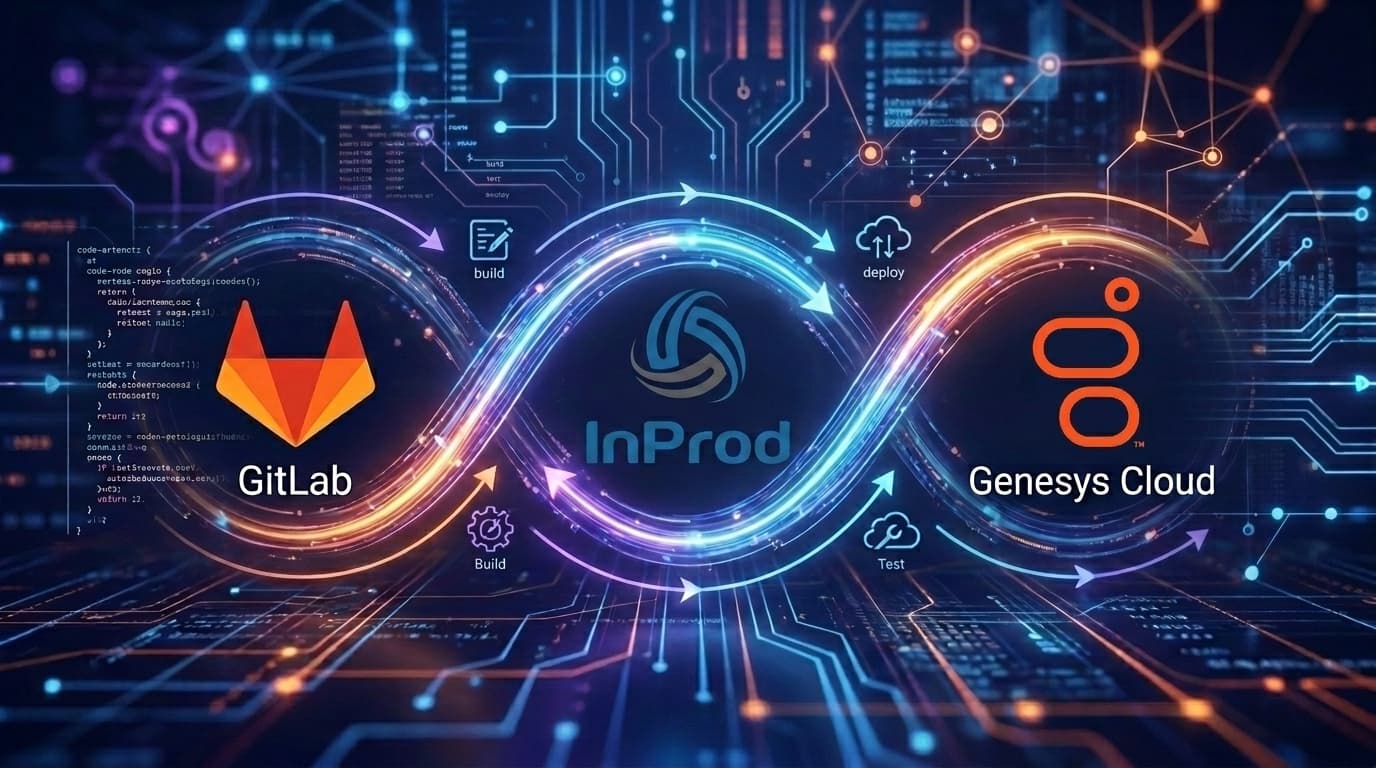
How to Build a Genesys Cloud CI/CD Pipeline with GitLab CI
A Genesys Cloud CI/CD pipeline with GitLab CI uses a reusable GitLab job template to validate and deploy InProd changesets through Development, UAT, and Production. GitLab provides merge request workflows, CI/CD variables, protected environments, manual jobs, schedules, artifacts, and deployment history. InProd provides the Genesys Cloud-specific release layer: changeset validation, environment targeting, execution records, configuration auditing, drift detection, and rollback.
The search intent is precise: Genesys Cloud CI/CD with GitLab CI, GitLab CI Genesys Cloud, InProd changesets GitLab, Genesys Cloud DevOps automation, Genesys Cloud configuration as code, and CX as Code. A team searching for this is probably not asking what CI/CD means. They are asking how to make Genesys Cloud configuration changes behave like governed software releases.
The InProd GitLab CI/CD template is built for that use case. It provides a reusable .inprod_run_changeset job that runs validation and deployment through the InProd API. This article should help the reader understand both the YAML and the operating model behind it.
Genesys Cloud CI/CD Pipeline with GitLab CI
GitLab CI/CD is a strong fit for teams that want source control, merge requests, CI jobs, environments, approvals, schedules, and artifacts in one platform. GitLab's CI/CD documentation centers on defining pipeline behavior in .gitlab-ci.yml. For Genesys Cloud, that YAML becomes the release path for configuration that affects queues, routing, skills, schedules, integrations, and customer experience.
A production GitLab pipeline should:
- Store InProd changeset files in Git.
- Validate merge requests without executing changes.
- Deploy the same reviewed artifact to Development.
- Require manual approval for UAT and Production.
- Use GitLab protected environments for sensitive deployment targets.
- Publish
inprod-results.envas a dotenv artifact. - Publish
inprod-result.jsonfor detailed release evidence. - Use InProd audit history and rollback when recovery is needed.
The value is not only automation. The value is a trustworthy path from proposed configuration change to production outcome.
What the InProd GitLab Template Provides
The InProd GitLab template packages the common deployment behavior into a reusable job. Instead of copying a long shell script into every repository, teams include the template and extend .inprod_run_changeset.
| GitLab capability | InProd template capability |
|---|---|
| Merge request pipelines | Validate-only checks before merge |
| CI/CD variables | Secure API keys and environment-specific values |
| Protected environments | Controlled UAT and Production deployment |
| Manual jobs | Human approval before sensitive changes |
| Dotenv artifacts | Downstream access to INPROD_STATUS |
| Scheduled pipelines | Recurring validation for drift detection |
| Job artifacts | Detailed deployment result JSON |
This is exactly the split teams should want: GitLab controls workflow, and InProd controls Genesys Cloud configuration deployment.
GitLab Prerequisites
Before writing the pipeline, create GitLab CI/CD variables:
| Variable | Purpose |
|---|---|
INPROD_API_KEY |
Authenticates to the InProd API |
INPROD_BASE_URL |
Base URL of the InProd instance |
Mark secrets as masked. For enterprise use, store shared values at group level and use protected variables for Production credentials. The InProd GitLab template expects an API key with permission to view and run changesets against the target environment.
The repository also needs one or more changeset files:
changesets/
  01_queues.yaml
  02_skills.yaml
  03_routing.yaml
rollback/
  rollback-routing.yaml
Prefix files when order matters. Globbed changesets run in alphabetical order, so filenames become part of the deployment design.
Quick Start GitLab Pipeline
The minimal implementation includes the remote template and extends .inprod_run_changeset:
include:
  - remote: "https://gitlab.com/inprod/gitlab-run-changesets/-/raw/main/run-changesets.yml"

deploy-production:
  extends: .inprod_run_changeset
  stage: deploy
  variables:
    INPROD_CHANGESET_FILE: changesets/queues.yaml
    INPROD_ENVIRONMENT: Production
  environment:
    name: production
  rules:
    - if: $CI_COMMIT_BRANCH == "main"
This is the fastest path to a working deployment. For a production contact center, add merge request validation, multi-environment promotion, protected environments, and rollback planning.
Merge Request Validation
Merge request validation should run changesets in validate-only mode:
include:
  - remote: "https://gitlab.com/inprod/gitlab-run-changesets/-/raw/main/run-changesets.yml"

validate-mr:
  extends: .inprod_run_changeset
  stage: validate
  variables:
    INPROD_CHANGESET_FILE: changesets/*.yaml
    INPROD_ENVIRONMENT: Production
    INPROD_VALIDATE_ONLY: "true"
  rules:
    - if: $CI_PIPELINE_SOURCE == "merge_request_event"
This gives reviewers a concrete answer before merge: the proposed Genesys Cloud configuration change can be validated without touching Production.
Multi-Environment GitLab Pipeline
The best GitLab pipeline promotes the same changeset through environments:
include:
  - remote: "https://gitlab.com/inprod/gitlab-run-changesets/-/raw/main/run-changesets.yml"

stages:
  - validate
  - deploy-dev
  - deploy-uat
  - deploy-prod

validate-changesets:
  extends: .inprod_run_changeset
  stage: validate
  variables:
    INPROD_CHANGESET_FILE: changesets/*.yaml
    INPROD_VALIDATE_ONLY: "true"
  rules:
    - if: $CI_COMMIT_BRANCH == "main"

deploy-dev:
  extends: .inprod_run_changeset
  stage: deploy-dev
  variables:
    INPROD_CHANGESET_FILE: changesets/*.yaml
    INPROD_ENVIRONMENT: Development
    INPROD_EXECUTION_STRATEGY: validate_first
  needs: [validate-changesets]

deploy-uat:
  extends: .inprod_run_changeset
  stage: deploy-uat
  variables:
    INPROD_CHANGESET_FILE: changesets/*.yaml
    INPROD_ENVIRONMENT: UAT
    INPROD_EXECUTION_STRATEGY: validate_first
  needs: [deploy-dev]
  when: manual
  environment:
    name: uat

deploy-prod:
  extends: .inprod_run_changeset
  stage: deploy-prod
  variables:
    INPROD_CHANGESET_FILE: changesets/*.yaml
    INPROD_ENVIRONMENT: Production
    INPROD_EXECUTION_STRATEGY: validate_first
  needs: [deploy-uat]
  when: manual
  environment:
    name: production
Use GitLab protected environments so only approved users can trigger UAT and Production jobs.
Variables That Shape the Release
The InProd GitLab template is controlled through CI/CD variables:
| Variable | Recommended use |
|---|---|
INPROD_CHANGESET_FILE |
Single file or glob pattern to process |
INPROD_ENVIRONMENT |
Target Development, UAT, or Production |
INPROD_VALIDATE_ONLY |
Validate merge requests or scheduled checks without executing |
INPROD_VALIDATE_BEFORE_EXECUTE |
Keep pre-execution validation enabled |
INPROD_EXECUTION_STRATEGY |
Use validate_first when batches should all pass before execution |
INPROD_FAIL_FAST |
Stop on first failure for dependent batches |
INPROD_POLLING_TIMEOUT_MINUTES |
Increase for large changesets |
INPROD_CHANGESET_VARIABLES |
Inject runtime secrets and environment-specific values |
INPROD_DEBUG |
Enable only temporarily for troubleshooting |
For Production, keep INPROD_VALIDATE_BEFORE_EXECUTE enabled and prefer validate_first when multiple files are part of one release.
Artifacts and Downstream Jobs
The GitLab template publishes two key artifacts:
| Artifact | Use |
|---|---|
inprod-results.env |
Dotenv file exposing INPROD_STATUS to downstream jobs |
inprod-result.json |
Per-file validation and execution detail |
A downstream notification job can read the status with needs:
notify-on-completion:
  stage: notify
  image: alpine:latest
  needs:
    - job: deploy-production
      artifacts: true
  script:
    - echo "Deployment status: $INPROD_STATUS"
    - cat inprod-result.json
  rules:
    - when: always
That status should connect to the change ticket, release notes, or incident workflow. A Genesys Cloud deployment is operationally meaningful; the result should not vanish when the job log expires.
Scheduled Validation for Drift
GitLab schedules can run validate-only checks to expose drift:
nightly-validation:
  extends: .inprod_run_changeset
  variables:
    INPROD_CHANGESET_FILE: changesets/**/*.yaml
    INPROD_ENVIRONMENT: Production
    INPROD_VALIDATE_ONLY: "true"
  rules:
    - if: $CI_PIPELINE_SOURCE == "schedule"
This supports Genesys Cloud configuration auditing. If someone changes Production outside GitLab, scheduled validation gives the team a chance to reconcile before the next deployment.
Rollback with GitLab
The InProd GitLab template can run a dedicated rollback changeset. Keep rollback deliberate, not accidental:
rollback-production:
  extends: .inprod_run_changeset
  variables:
    INPROD_CHANGESET_FILE: rollback/rollback-routing.yaml
    INPROD_ENVIRONMENT: Production
  when: manual
  environment:
    name: production
For high-risk routing, queue, or integration changes, define the rollback before the production job runs. That is a stronger control than trying to reconstruct the previous configuration while a contact center incident is already active.
Self-Hosted GitLab
If self-hosted GitLab runners cannot reach gitlab.com, do not depend on include: remote. Copy the template into an internal CI/CD template repository and use a project include:
include:
  - project: "platform/ci-templates"
    ref: main
    file: "/run-changesets.yml"
This keeps the same InProd deployment pattern while satisfying internal network and supply-chain policies.
Production Readiness Checklist
- Store
INPROD_API_KEYandINPROD_BASE_URLas masked GitLab variables. - Use protected variables or scoped credentials for Production.
- Run merge request validation with
INPROD_VALIDATE_ONLY=true. - Promote the same changeset files through Development, UAT, and Production.
- Use manual jobs and protected environments for UAT and Production.
- Use
INPROD_EXECUTION_STRATEGY: validate_firstfor batches. - Publish and retain
inprod-result.json. - Use dotenv
INPROD_STATUSfor notifications and change records. - Schedule validation to expose drift.
- Keep rollback changesets in Git.
FAQ
Can GitLab CI deploy Genesys Cloud configuration?
Yes. GitLab CI can include the InProd reusable template and run InProd changesets against Genesys Cloud environments.
What is the primary keyword?
The target keyword is Genesys Cloud CI/CD pipeline with GitLab CI. Secondary phrases include GitLab CI Genesys Cloud, InProd changesets GitLab, Genesys Cloud DevOps automation, and Genesys Cloud configuration as code.
Should merge requests execute changes?
No. Merge requests should use INPROD_VALIDATE_ONLY=true so reviewers get validation evidence without modifying an environment.
Can GitLab protect Production deployments?
Yes. Use protected environments, manual jobs, protected variables, and scoped API keys to control Production deployment.
Does this replace CX as Code?
No. It complements Genesys Cloud CX as Code, Terraform, and Genesys configuration as code with a governed changeset deployment workflow.
Related Resources
Read the InProd GitLab CI/CD template, the GitLab CI/CD documentation, InProd's GitLab integration overview, and InProd's guides to Genesys Cloud CI/CD with CX as Code and Terraform, CI/CD validation and promotion, and Genesys Cloud DevOps automation. To design a GitLab release process for your Genesys Cloud orgs, book a call.

Jarrod Neven
Contact Center Expert, Director at InProd Solutions
Jarrod has been working in the enterprise CX space since 2001. Before starting InProd, he spent several years as a CTI Solutions Architect at Genesys itself, working across the APAC region with enterprise and government customers, which gives him a different perspective on how their platforms actually work under the hood. He's been Director at InProd Solutions since 2016, helping organizations cut through the complexity of Genesys Engage deployments.