
DevOps Automation for Genesys Cloud Operations

DevOps Automation
DevOps automation has become essential for organizations managing Genesys Cloud contact center environments. Every day, development teams make changes to improve customer interactions—updating workflows, refining routing logic, and implementing new features. This constant evolution drives better experiences, but it also introduces significant risk. When changes go wrong without proper automation safeguards, the consequences ripple through entire operations, disrupting service and damaging customer relationships.
The challenge facing modern contact center operations teams centers on a fundamental tension: the need for rapid iteration versus the requirement for stability. Resolving this tension requires a shift in how organizations approach change management. Rather than relying on manual processes prone to human error, forward-thinking teams embrace DevOps automation practices specifically designed for contact center environments.
This article explores the risks associated with manual change deployment, examines how DevOps automation transforms contact center operations, and provides a framework for implementing robust DevOps processes in Genesys Cloud environments.
Why Manual Change Deployment Undermines DevOps Automation Goals
When development teams make changes to a Genesys Cloud environment manually, they introduce numerous risks that often remain invisible until something breaks. Understanding these risks illuminates why DevOps automation has become essential for organizations serious about customer experience.
Configuration Drift Destroys Automation Consistency
Manual deployments inevitably lead to configuration drift—the gradual divergence between what teams believe exists in their environment and what actually exists. A developer might make a quick fix directly in production without documenting it. Another team member might configure a test environment slightly differently than staging. Over time, these small discrepancies compound into significant inconsistencies.
According to Puppet’s State of DevOps Report, organizations with low DevOps maturity spend 22% more time on unplanned work and rework compared to high-performing teams. Much of this unplanned work stems from troubleshooting issues caused by configuration drift.
In contact center environments, configuration drift manifests in particularly damaging ways. Routing rules might behave differently across environments, making testing unreliable. IVR prompts might reference outdated information in production while appearing correct in development. Skills-based routing configurations might assign calls incorrectly because someone made an undocumented change weeks ago.
Manual Processes Create Time Burdens That Automation Eliminates
Manual change deployment consumes enormous amounts of time. Developers must log into multiple environments, navigate through interfaces, and carefully replicate changes across development, staging, and production systems. Each step requires attention and verification.
Consider a seemingly simple change: updating a data action that retrieves customer information from a CRM system. In a manual process, a developer must:
- Make the change in the development environment
- Test the change thoroughly
- Document the exact configuration
- Log into the staging environment
- Recreate the configuration precisely
- Test again to verify the recreation matches the original
- Repeat the process for production
- Verify production behavior matches expectations
Each of these steps introduces opportunities for error. Each requires developer time that could otherwise go toward building new features or improving existing functionality. The cumulative effect across dozens or hundreds of changes per month represents a significant drain on team productivity.
Rollback Complexity Without Automation
When a manual change causes problems, rolling back becomes an exercise in archaeology. Teams must determine exactly what changed, when it changed, and what the previous configuration looked like. Without automated tracking and version control, this investigation can take hours—hours during which customers experience degraded service.
The Genesys Cloud documentation provides guidance on many configuration options, but it cannot tell teams what their specific previous configurations looked like. That institutional knowledge often exists only in the memories of team members who may not be available when problems arise.
How DevOps Automation Transforms Contact Center Operations
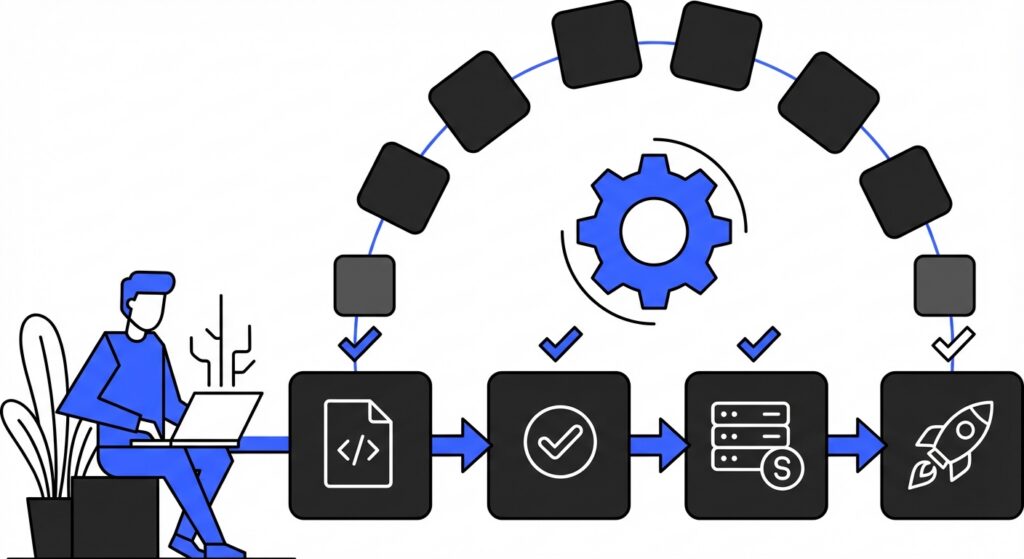
DevOps automation transforms change deployment from a risky, time-consuming manual process into a reliable, repeatable workflow. The benefits extend far beyond simple time savings.
Automation Ensures Consistency Across Environments
Automated deployment ensures that configurations remain identical across environments. When the same automation script deploys changes to development, staging, and production, teams gain confidence that behavior observed in testing will match behavior in production.
This consistency eliminates an entire category of bugs—those caused by subtle differences between environments. When a test passes in staging, teams can trust that the same test would pass in production because the configurations are identical.
DevOps Automation Creates Comprehensive Audit Trails
DevOps automation systems maintain comprehensive records of every change. These audit trails capture what changed, when it changed, who initiated the change, and what the previous configuration looked like. This information proves invaluable for troubleshooting, compliance, and continuous improvement.
Regulatory requirements in many industries demand detailed records of system changes. Healthcare organizations must comply with HIPAA requirements for system access and modification logging. Financial services firms face similar requirements under various regulations. Automated deployment systems generate these records automatically, reducing compliance burden while improving accuracy.
Rapid Recovery Through Automated Rollback
When problems occur—and they will occur—DevOps automation enables rapid recovery. Rather than manually reconstructing previous configurations, teams can simply redeploy a known-good version. The recovery process takes minutes rather than hours.
This capability fundamentally changes the risk calculation for making changes. When teams know they can quickly recover from problems, they become more willing to experiment and iterate. This willingness to experiment drives innovation and continuous improvement in customer experience.
Automation Reduces Human Error
Humans make mistakes. Even experienced developers occasionally mistype values, forget steps, or make incorrect assumptions. Automation removes these human failure modes from the deployment process.
A study by the Ponemon Institute found that human error contributes to approximately 23% of unplanned downtime. By automating deployment processes, organizations can eliminate a significant source of operational risk.
Building a DevOps Automation Pipeline for Genesys Cloud
Implementing effective DevOps automation requires understanding the components of a modern pipeline and how they apply to contact center environments. The following sections examine each component in detail.
Source Control as the Automation Foundation
Every effective DevOps implementation begins with source control. All configurations, scripts, and deployment definitions live in a version-controlled repository. This repository becomes the single source of truth for the entire environment.
Source control systems like Git track every change to every file. Teams can see exactly what changed between any two points in time. They can compare configurations across branches representing different environments. They can revert to any previous state with a single command.
For Genesys Cloud environments, source control should contain:
- Flow definitions exported in a portable format
- Data action configurations
- Queue and skill definitions
- Routing configurations
- Integration settings
- Deployment scripts and automation definitions
When everything lives in source control, the repository becomes a complete description of the environment. New team members can understand the system by reading the repository. Auditors can review the history to understand how the system evolved. Disaster recovery becomes a matter of deploying from the repository to a new environment.
Automated Testing Within DevOps Pipelines
Automated tests verify that changes behave as expected before they reach production. These tests run automatically whenever changes occur, catching problems early when they are easiest and cheapest to fix.
Contact center testing presents unique challenges. Unlike traditional software where tests can examine function outputs directly, contact center tests must verify complex interactive behaviors. A test might need to simulate a customer calling in, navigating an IVR, and connecting to an agent to verify that routing works correctly.
Effective test suites for contact centers include:
Unit tests that verify individual components in isolation. A unit test might confirm that a data action correctly transforms input data into the expected output format.
Integration tests that verify components work together correctly. An integration test might confirm that a flow correctly calls a data action and handles the response.
End-to-end tests that verify complete customer journeys. An end-to-end test might simulate an entire customer interaction from initial contact through resolution.
The investment in automated testing pays dividends through reduced production incidents and faster development cycles. Teams can make changes with confidence, knowing that comprehensive tests will catch regressions before customers encounter them.
Environment Promotion Through Automation Workflows
Effective DevOps pipelines define clear workflows for promoting changes through environments. A typical workflow might include:
Development environment where developers make and test changes. This environment receives frequent updates and may occasionally be unstable.
Staging or UAT environment where changes undergo more rigorous testing. This environment mirrors production as closely as possible and receives changes only after they pass automated tests.
Production environment where customers interact with the system. Changes reach production only after passing all tests and receiving appropriate approvals.
Automation handles the promotion between environments. When changes pass tests in development, automation deploys them to staging. When changes receive approval in staging, automation deploys them to production. Human judgment remains in the loop for critical decisions, but automation handles the mechanical work of deployment.
Monitoring and Observability in Automated Environments
DevOps automation extends beyond deployment into monitoring and observability. Automated systems watch for anomalies, alert teams to problems, and collect data for continuous improvement.
Effective monitoring for contact centers includes:
Real-time dashboards showing key metrics like call volume, wait times, and abandonment rates. These dashboards help teams spot problems quickly.
Alerting systems that notify teams when metrics exceed thresholds. An alert might fire when abandonment rates spike or when a particular queue’s wait time grows too long.
Log aggregation that collects and indexes log data from across the environment. When problems occur, teams can search logs to understand what happened.
Trend analysis that identifies patterns over time. Trend analysis might reveal that a particular flow experiences problems every Monday morning, suggesting a correlation with weekly batch processes.
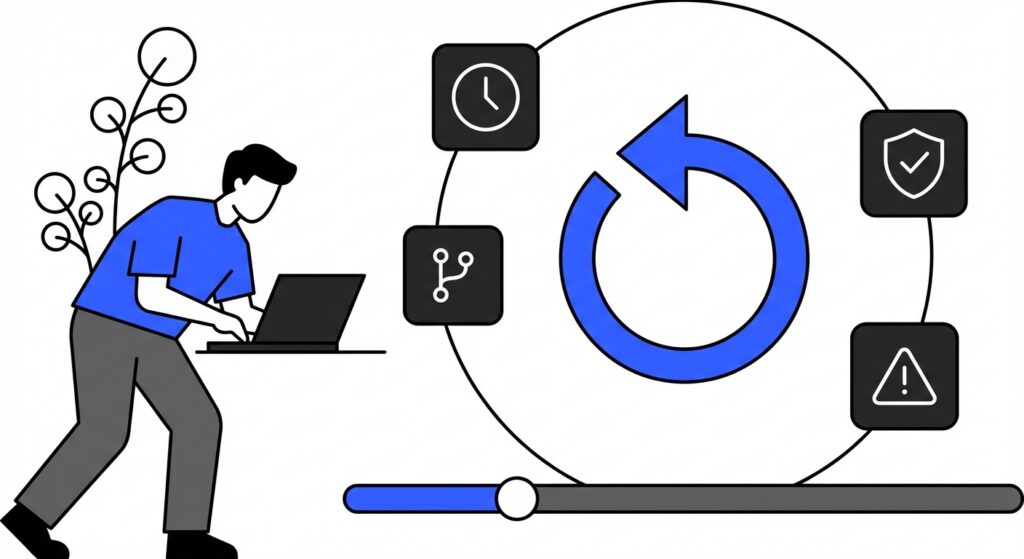
The combination of deployment automation and monitoring automation creates a feedback loop. Teams deploy changes, monitoring reveals the impact, and insights from monitoring inform future changes.
Implementing DevOps Automation Tools with InProd
Organizations seeking to implement DevOps automation for Genesys Cloud face a choice: build custom automation from scratch or leverage purpose-built tools designed for the platform. Building custom automation requires significant expertise and ongoing maintenance. Purpose-built tools offer faster time to value and reduced operational burden.
InProd provides a comprehensive automation platform specifically designed for Genesys Cloud environments. As a partner through the Genesys Cloud AppFoundry, InProd integrates seamlessly with existing Genesys Cloud deployments.
Streamlined Change Management Through Automation
InProd enables teams to manage changes across multiple environments from a single interface. Rather than logging into each environment separately and manually replicating configurations, teams define changes once and deploy them consistently across all environments.
The platform maintains complete audit trails of all changes. Teams can see exactly what changed, when, and who initiated the change. When problems occur, teams can quickly identify the relevant changes and roll back if necessary.
Reduced Learning Curve for Automation Adoption
Unlike building custom automation, which requires deep expertise in multiple technologies, InProd provides a straightforward interface designed for contact center operations teams. Engineers can begin using the platform productively within days rather than weeks or months.
Dedicated support ensures teams can resolve questions and issues quickly. Rather than searching through documentation or waiting for community forum responses, teams have access to experts who understand both the platform and the unique challenges of contact center operations.
Integration with Existing DevOps Workflows
InProd integrates with existing development workflows rather than requiring teams to adopt entirely new processes. The platform works alongside existing source control systems, testing frameworks, and deployment tools.
This integration approach means teams can adopt automation incrementally. Rather than a risky big-bang transformation, teams can automate one workflow at a time, building confidence and expertise as they go.
Best Practices for Contact Center DevOps Automation Success
Successful automation implementations share common characteristics. The following best practices help teams avoid common pitfalls and maximize the value of their DevOps automation investments.
Start Automation with High-Value, Low-Risk Changes
Begin automation efforts with changes that are frequent, well-understood, and relatively low-risk. Automating these changes builds team confidence and demonstrates value quickly.
For many contact centers, good starting points include:
- Updating business hours and holiday schedules
- Modifying announcement messages
- Adjusting queue overflow thresholds
- Updating agent skill assignments
These changes occur frequently, follow predictable patterns, and rarely cause significant problems if something goes wrong. Automating them frees developer time while building the foundation for more complex automation.
Invest in Testing Infrastructure for Automation
Automated testing provides the safety net that enables confident deployment. Without comprehensive tests, automation merely accelerates the deployment of problems to production.
Building effective test infrastructure requires investment. Teams need test environments that mirror production. They need tools to simulate customer interactions. They need processes to maintain and update tests as the system evolves.
This investment pays dividends through reduced production incidents, faster development cycles, and improved team confidence. Organizations that skimp on testing infrastructure often find that their automation causes more problems than it solves.
Document Everything in Automated Environments
Documentation serves multiple purposes in automated environments. It helps team members understand how systems work. It provides context for changes. It supports troubleshooting and incident response.
Effective documentation includes:
- Architecture diagrams showing how components interact
- Runbooks describing common operational procedures
- Decision logs explaining why particular approaches were chosen
- Change logs summarizing what changed and why
Modern documentation lives alongside the configurations it describes, often in the same source control repository. This co-location ensures documentation stays current as systems evolve.
Plan for Automation Failures
Even the best automation occasionally fails. Networks experience outages. APIs return unexpected errors. Edge cases slip through testing. Effective automation implementations plan for these failures.
Failure planning includes:
- Rollback procedures that restore previous configurations quickly
- Monitoring that detects problems before customers report them
- Escalation paths that engage the right people for different types of problems
- Post-incident reviews that identify improvements to prevent recurrence
Organizations that plan for failure recover faster and learn more from incidents than those that assume automation will always work perfectly.
The Future of DevOps Automation in Contact Centers
The contact center industry continues to evolve rapidly. Artificial intelligence and machine learning create new capabilities and new complexity. Customer expectations rise as digital experiences improve across all industries. Competitive pressure demands continuous improvement in efficiency and effectiveness.
DevOps automation provides the foundation for navigating this evolution. Organizations with mature automation practices can adopt new technologies faster, experiment more freely, and respond more quickly to changing conditions. Those still relying on manual processes find themselves falling further behind.
Proper contact center planning increasingly requires consideration of automation capabilities. When evaluating new features or capabilities, teams must consider not just the immediate functionality but also how changes will be deployed, tested, and maintained over time.
The organizations that thrive in this environment will be those that treat DevOps automation as a core competency rather than an afterthought. They will invest in tools, training, and processes that enable rapid, reliable change. They will build cultures that embrace experimentation and continuous improvement.
Conclusion
Manual change deployment in Genesys Cloud environments creates risks that modern organizations cannot afford. Configuration drift, human error, and slow recovery times compound into degraded customer experiences and frustrated operations teams.
DevOps automation transforms this equation. Consistent deployments, comprehensive testing, and rapid recovery enable teams to iterate quickly while maintaining stability. The investment in automation pays dividends through reduced incidents, faster development, and improved customer experience.
Tools like InProd make DevOps automation accessible to organizations without deep technical expertise. Purpose-built for Genesys Cloud, these tools provide the capabilities teams need without the complexity of building custom solutions.
The path forward is clear. Organizations serious about customer experience must embrace DevOps automation. Those that do will outpace competitors still mired in manual processes. Those that delay will find the gap increasingly difficult to close.
The question is not whether to automate, but how quickly teams can begin the journey. Every day spent on manual processes is a day that could have been spent improving customer experience. The time to start is now.
